
Uimi

Project Overview
Uimi is a wellness app that helps people find meaning in self-care
Responsive health and wellbeing portal where goodness-conscious individuals can log in to record their physical and mental health information, as well as access activities, routines, and meditations to actively nurture self-care behaviors.
This end-to-end project was completed for the Careerfoundry UX Design course.

Role
UX/UI designer
User researcher
Duration
6 months
Tools
Figma
Google Slides
Google Forms
Usability Hub
OptimalSort
Jump into the Thought Process







Discovery
Defining the Problem
Problem:
People get overwhelmed and lose motivation to achieve their health goals.
Opportunity:
Find a way to help users continually nurture their wellbeing.
Hypothesis:
People trying to make positive wellbeing changes need a way to receive structured and tailored support while they track their mental and physical health because they can easily get overwhelmed and lose motivation.
We will know this to be true when we see users successfully establish healthier lifestyle changes and attain a more organized understanding of their health.
Competitive Analyses
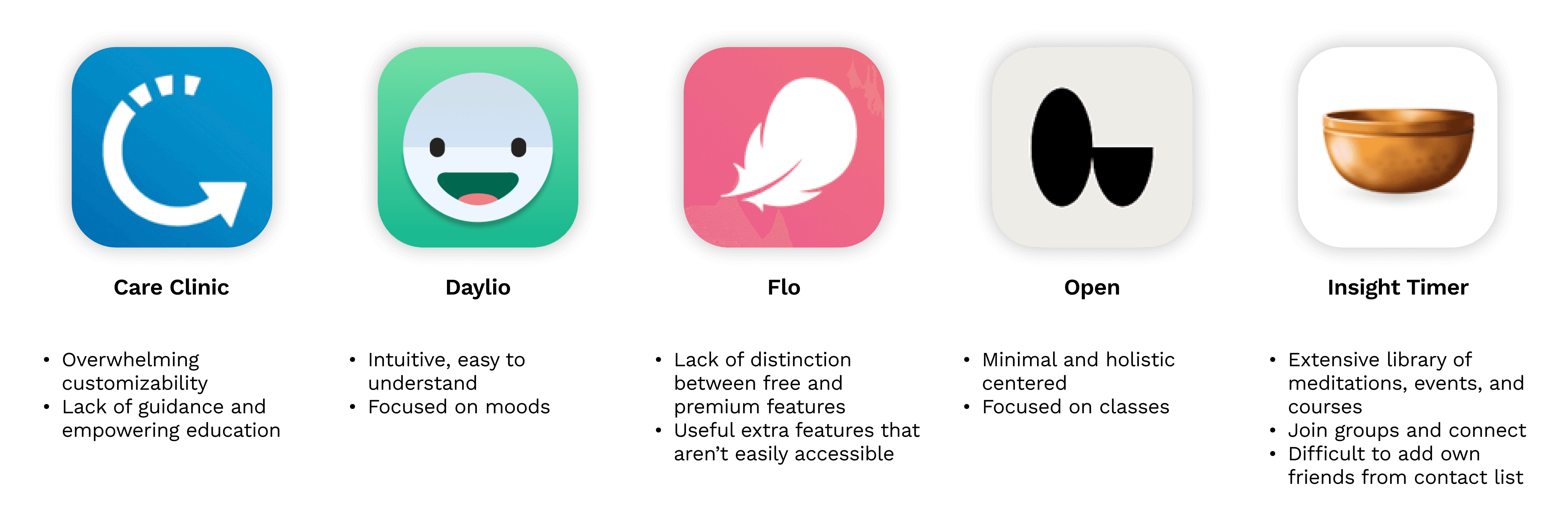
Before I started anything else, I wanted to learn if there were any gaps in the market for self-care apps. I conducted competitive analyses to assess the functionality of several direct competitors.
edit
Users need to be able to engage in self-care, track their health, journal, meditate, and connect with friends in an affordable manner. I learned that not one (free) wellness app achieved all of these features, so users have to resort to multiple apps and sources to achieve their goals.
User Research
I wanted to better understand people's relationships with wellness and self-care, so I started my user research by surveying 20+ users and interviewing 5 users.
User Surveys
22 survey participants
Survey Research Goals
Survey Questions
edit
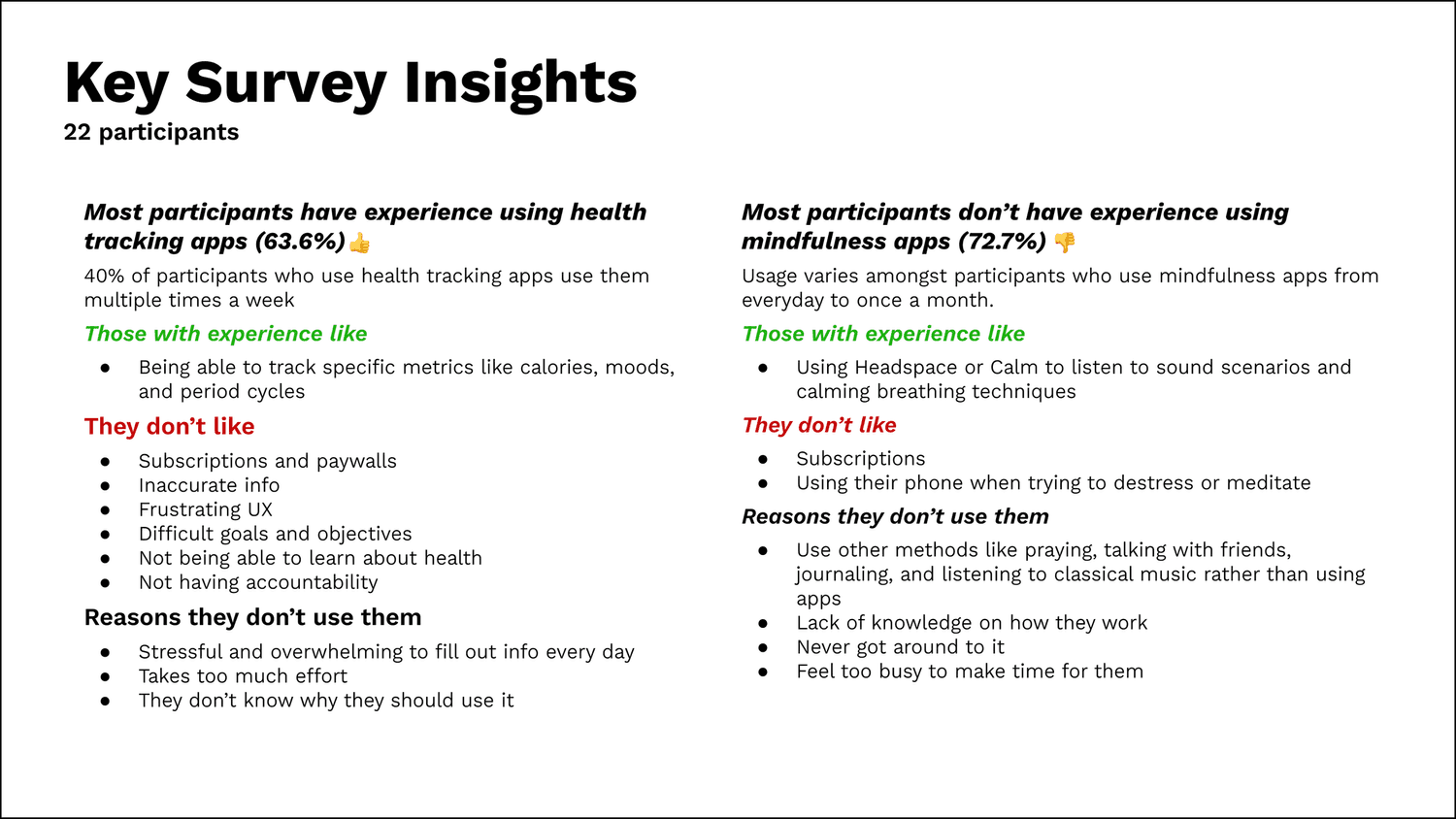
Over 70% of participants did not have experience with mindfulness apps (eg Headspace, Calm) 🙅♀️
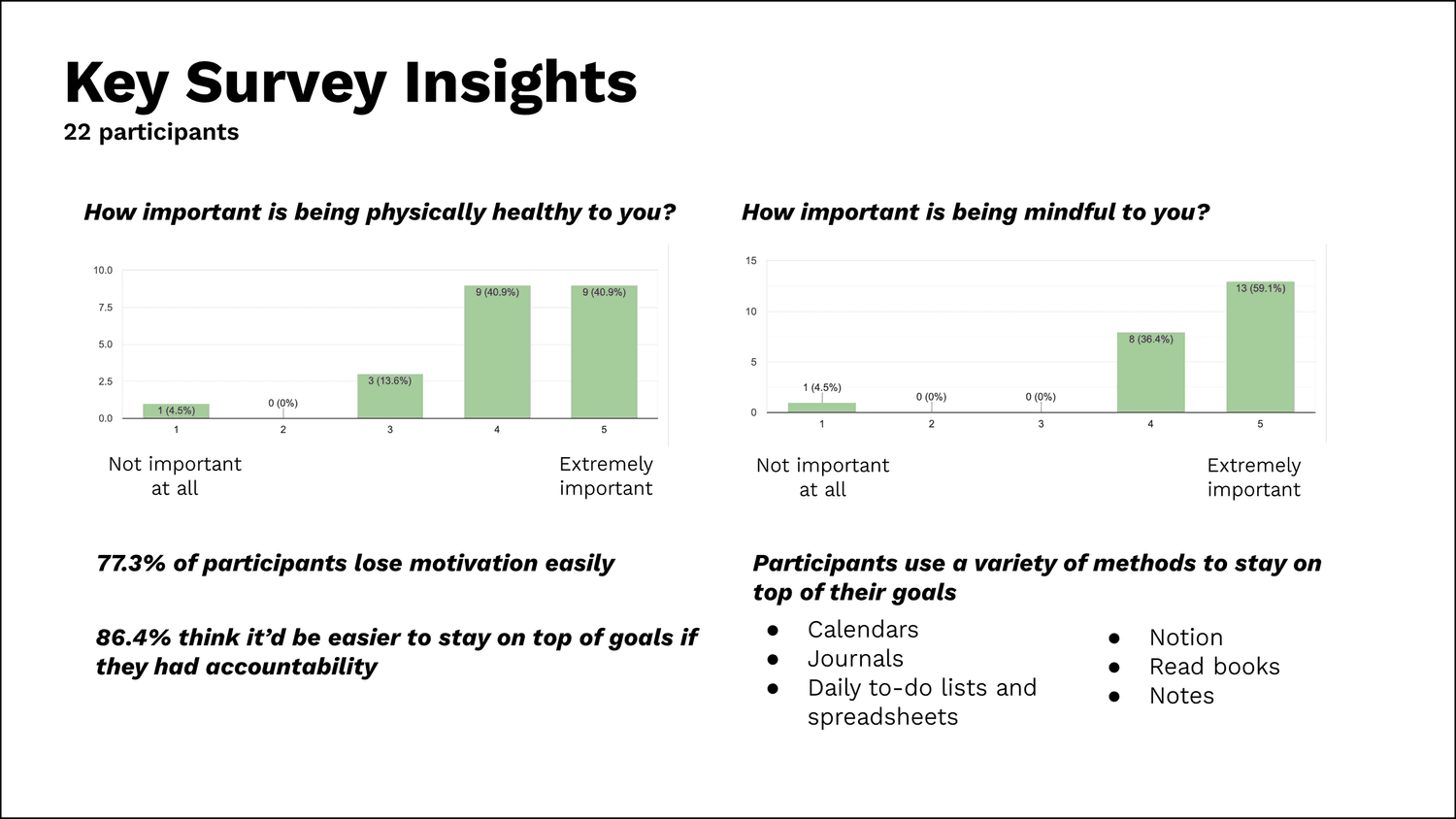
As I was thinking about what my target audience should be, I recognized that no matter if the participants were interested in mindfulness or not, they were all struggling in some way. And upon analyzing my data, I could see an overarching theme:
edit
Users feel like wellness apps can be too much to keep up with.
Too much pressure, too much effort, too much money, too much time!
I had initially hypothesized that tracking wellness would help users hit their goals, but it turned out to be a major source of overwhelm instead. So with this new knowledge, I wanted to figure out how I could reduce my users’ struggles by combining wellness and mindfulness into a ✨ joyful ✨ experience.
Only 30% of my survey pool had experience with mindfulness apps, so I did not get much insight into the frustrations behind using them. To supplement this survey, I would ideally follow up with another focus group survey to get a better understanding.
I added to my hypothesis that:
If people feel safe to practice compassion towards themselves, even during hard times, they’re more likely to keep up self-care regularly.
I really enjoyed conducting the interviews and getting a deeper insight into a wider range of perspectives. Diving deep to understand people's thought patterns taught me a lot about my own, too.
I’m excited to improve my interview skills with more practice!
User Interviews
4 interview participants
Interview Research Goals
Interview Questions
Participants
Analyzing the Data…
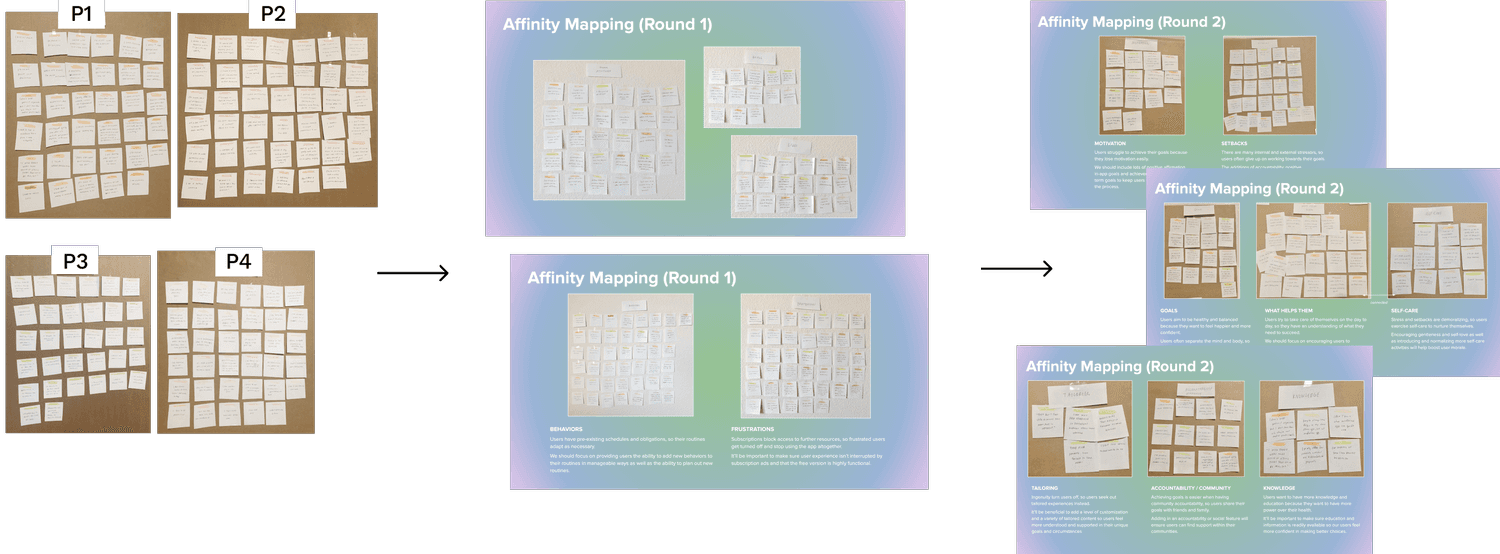
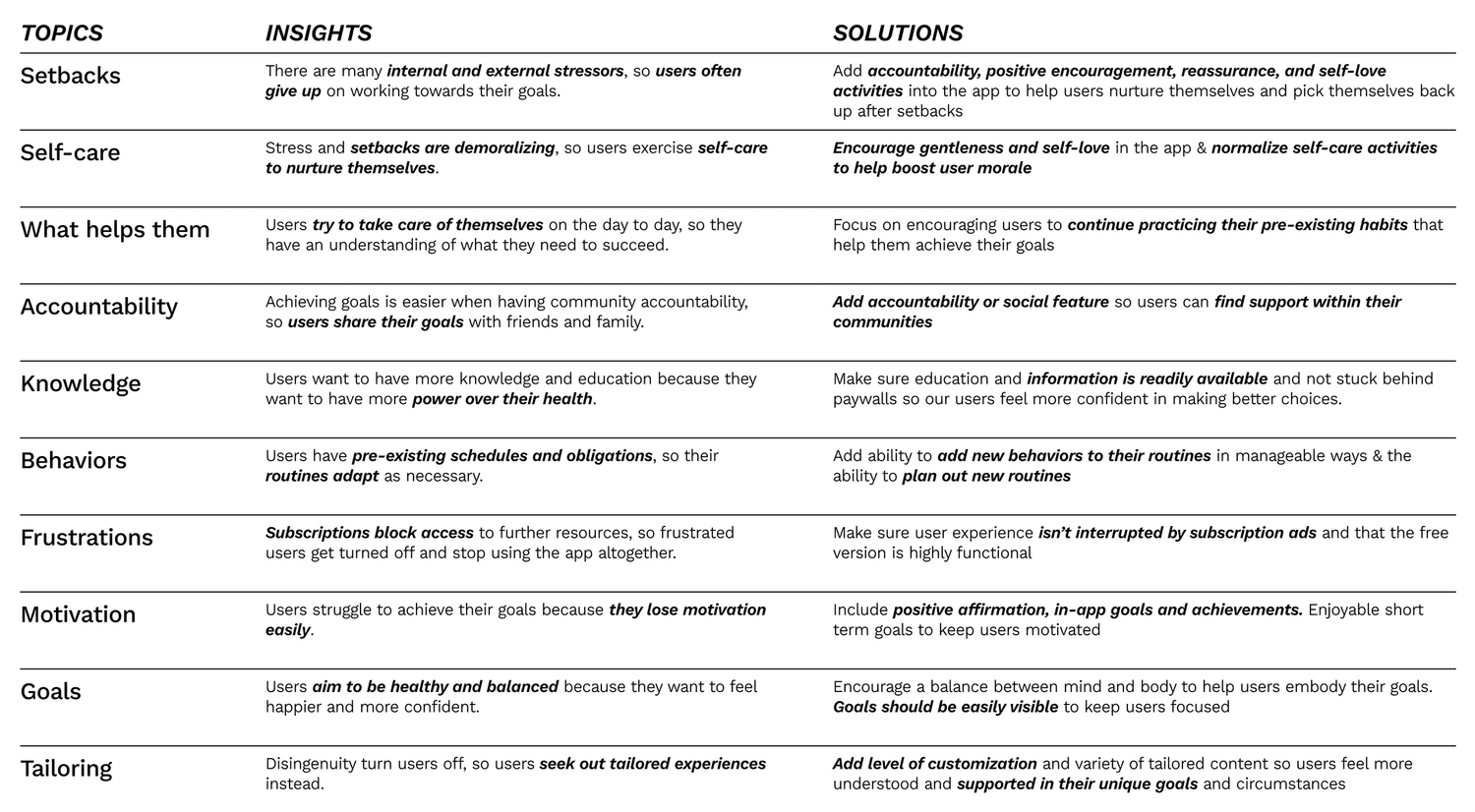
After the interviews, I affinity mapped the participants’ responses (140+ data points) to discover common frustrations, needs, goals, behaviors, and attitudes.
Insights and Possible Solutions
The users all highly value self-care and have their own methods of self-care, whether it be skin-care 🧼, napping 💤, or games 🎮, but still desire a way to better integrate it into their lives. All users have experience with fitness apps but had significantly less experience with mindfulness apps. The user interviews indicated that there is a common theme of separating the mind and body.
However, in reality, numerous scientific studies have examined and revealed the close connection of the mind and body, such as how the hormones and neurotransmitters associated with emotion can also have physical effects.
While analyzing the interview data, I synthesized a few different solutions and eventually narrowed down the 4 main themes that would drive the app’s key features. The possible solutions I came up with are rooted in mental wellbeing, as attitude is proven to have a strong influence on behaviors.
.🏋️👌 / 🧘♀️🤷♂️
🧠 🤝🧍♀️
Motivation
Accountability
Knowledge
Independency & Structure
I added to my hypothesis that:
If people feel safe to practice compassion towards themselves, even during hard times, they’re more likely to keep up self-care regularly.
I really enjoyed conducting the interviews and getting a deeper insight into a wider range of perspectives. Diving deep to understand people's thought patterns taught me a lot about my own, too.
I’m excited to improve my interview skills with more practice!
Further research
After conducting the interviews, I was inspired to look deeper into neurodiversity and how that might affect one’s ability to stay motivated in self-care.
Personas
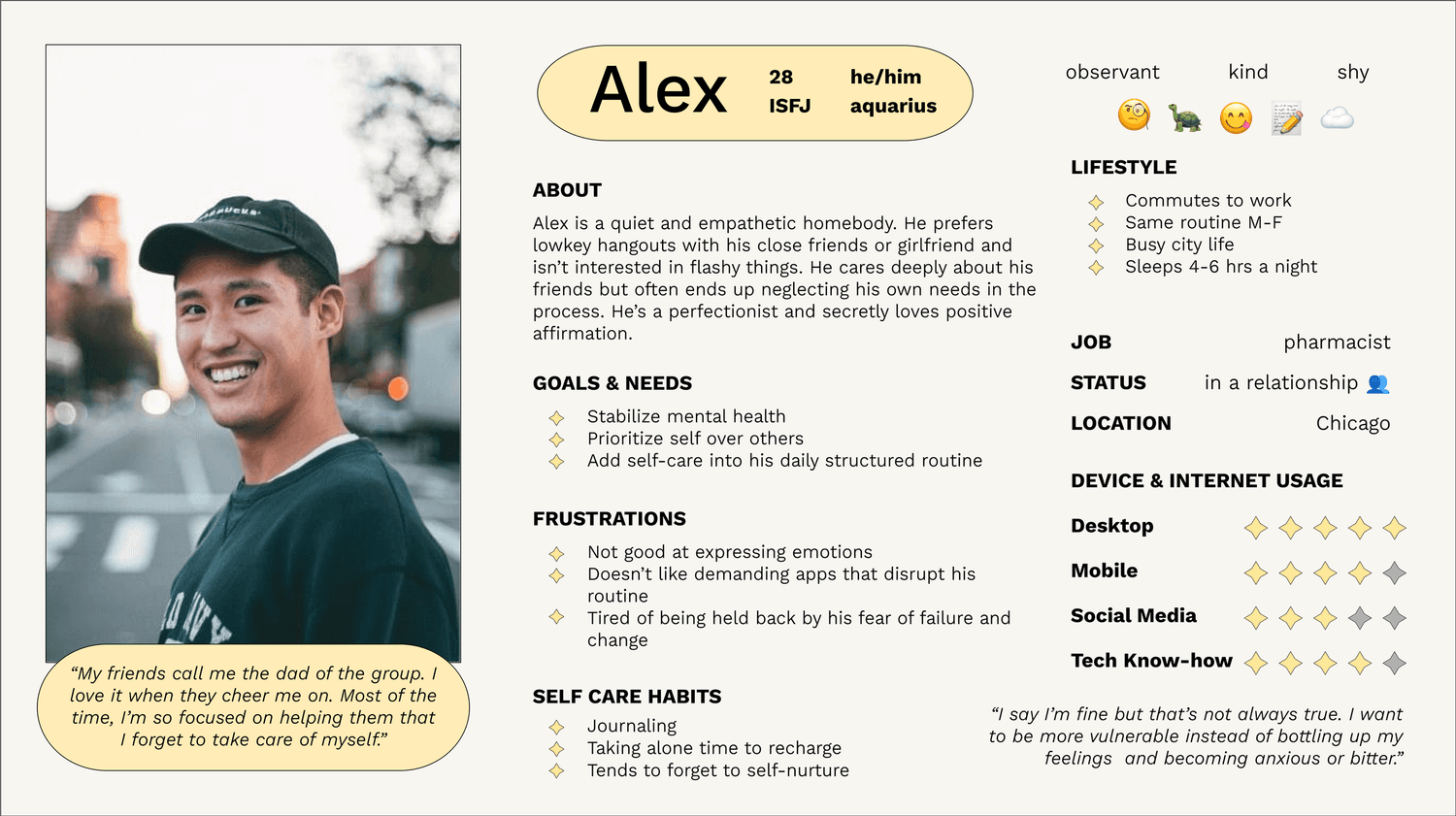
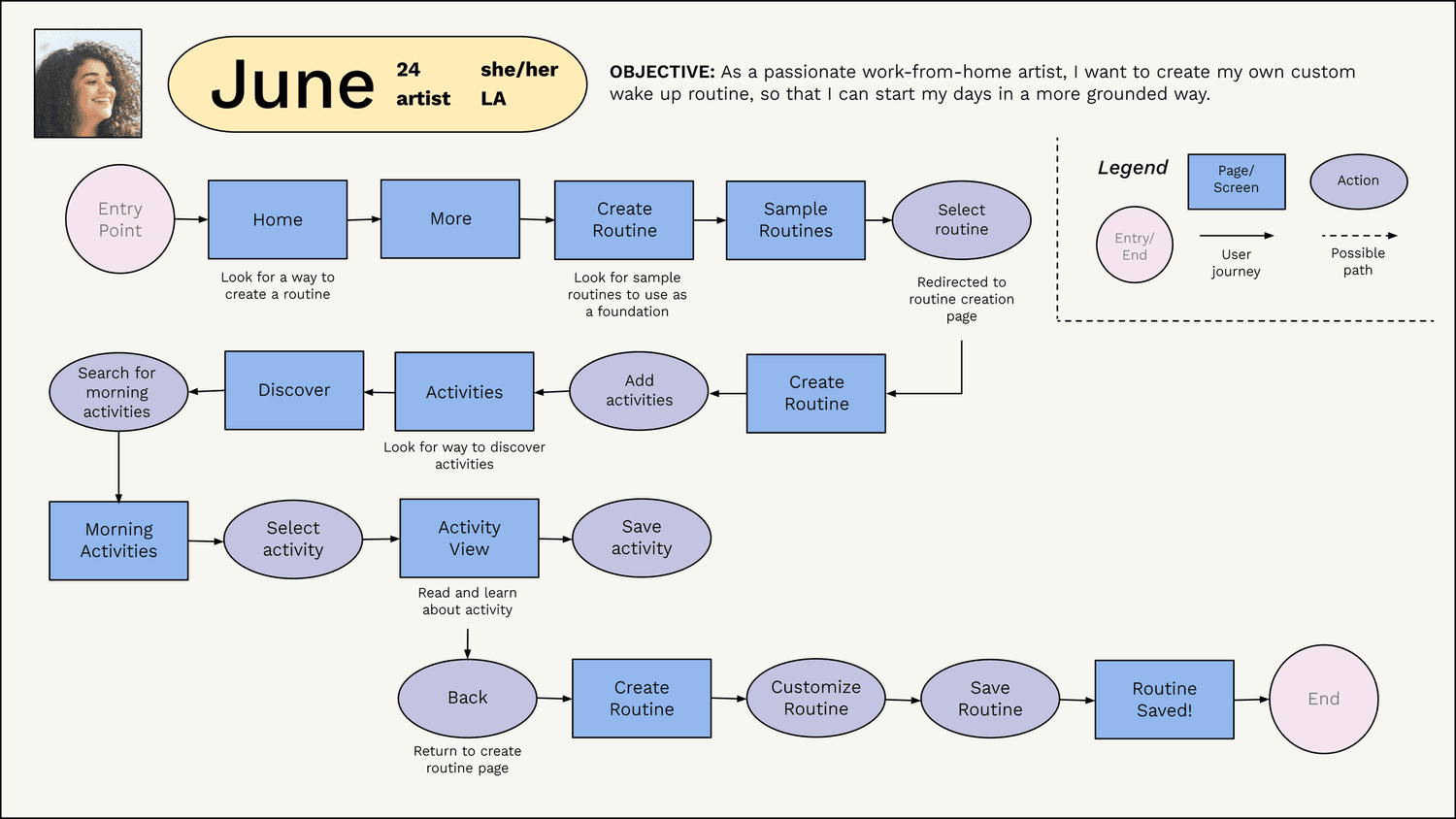
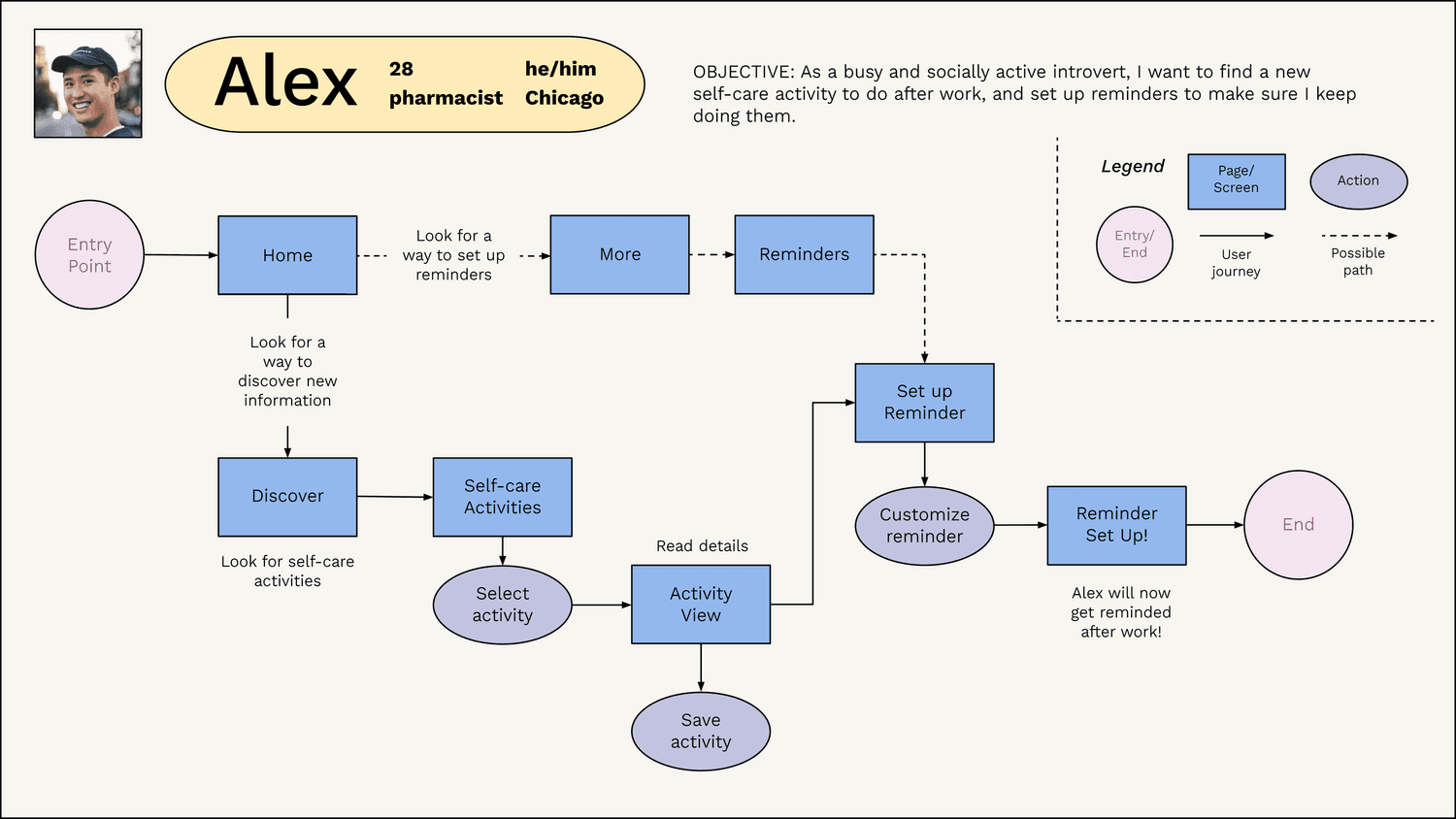
I wanted to empathize with my users more closely, so using my research, I created two personas, June and Alex, to help me prioritize functionality based on their needs and goals.
Combining research and empathy to create unique personas was one of my favorite parts!

Concept Testing
User Journeys
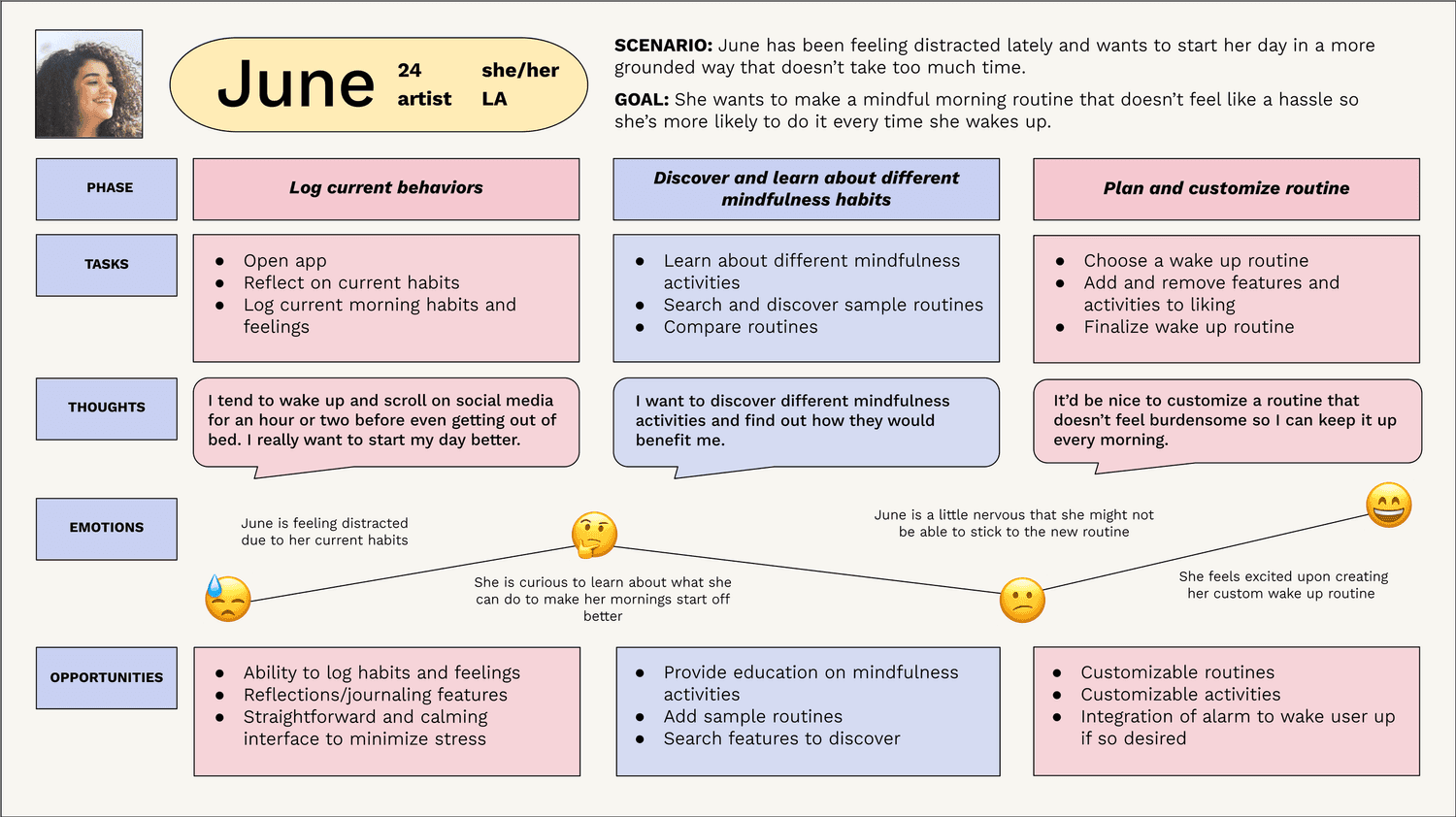
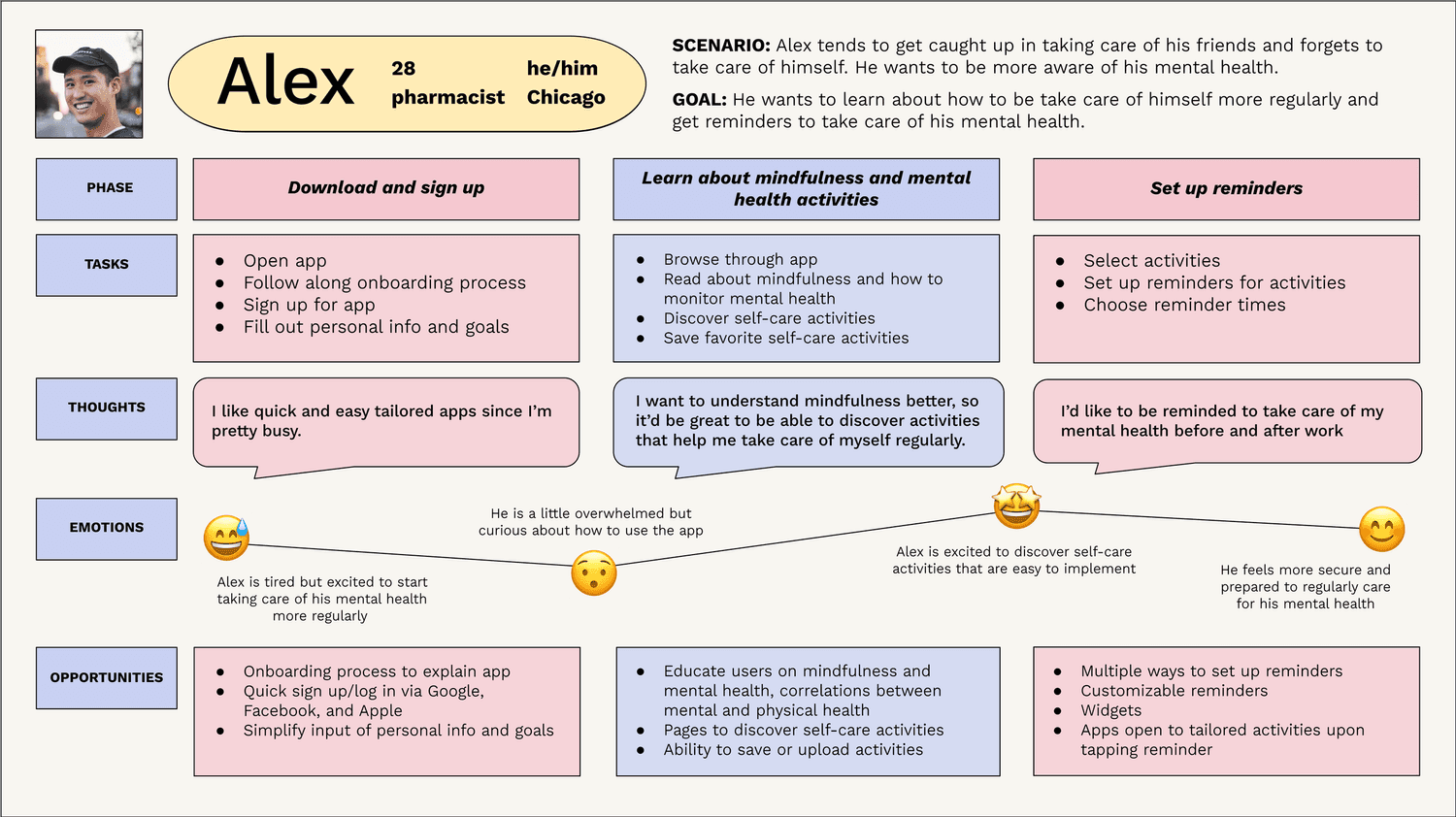
By creating user journeys, I was able to focus on the goals, habits, and behaviors of my personas. This gave me the opportunity to anticipate the context of how users would engage with the app, as well as possible friction points.
User Flows
Keeping my personas at the front of my mind, I created user flows to ensure I was fulfilling their needs. This helped me begin defining what pages and screens were necessary for them while they completed tasks such as creating custom routines.
Information Architecture
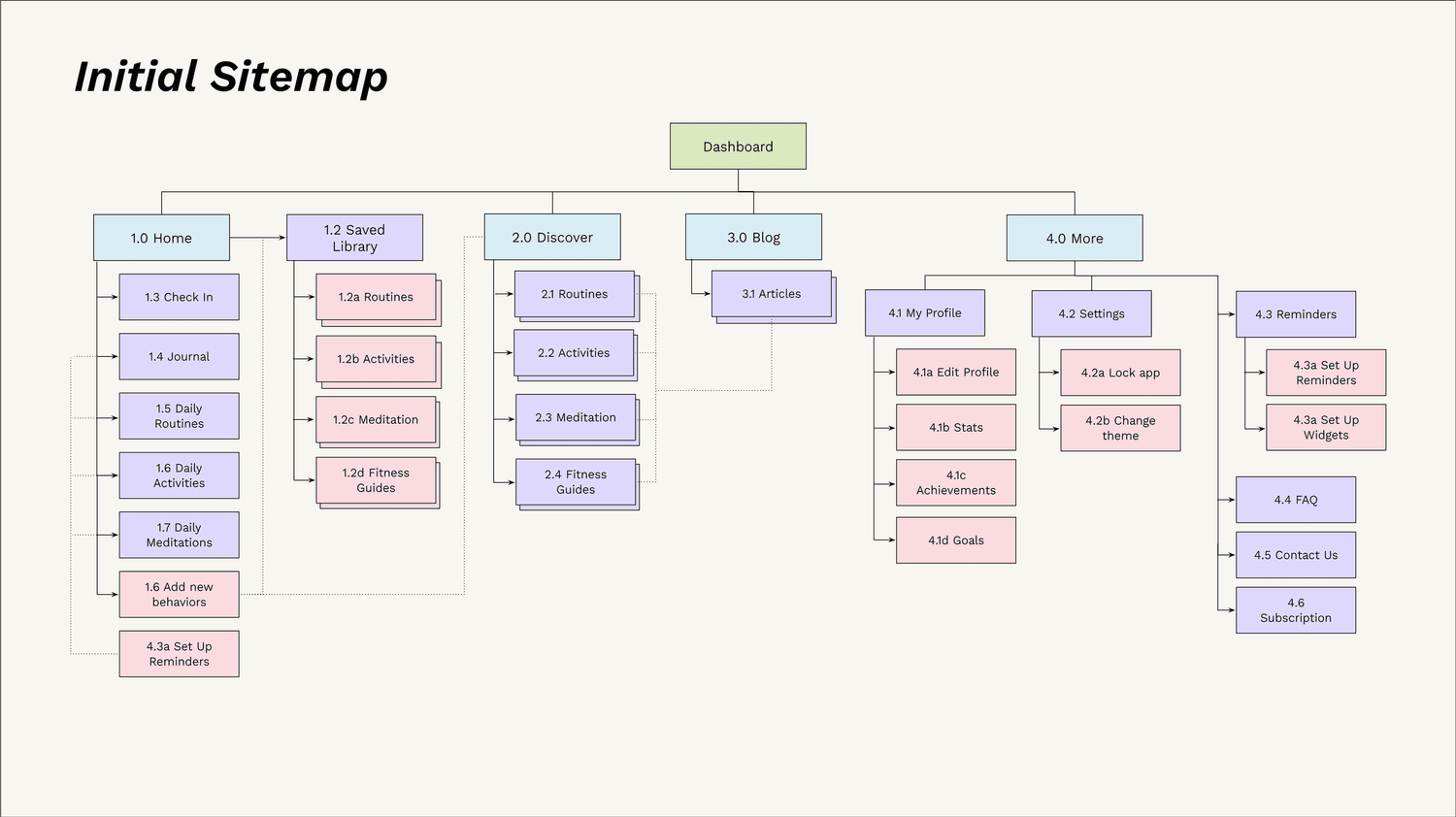
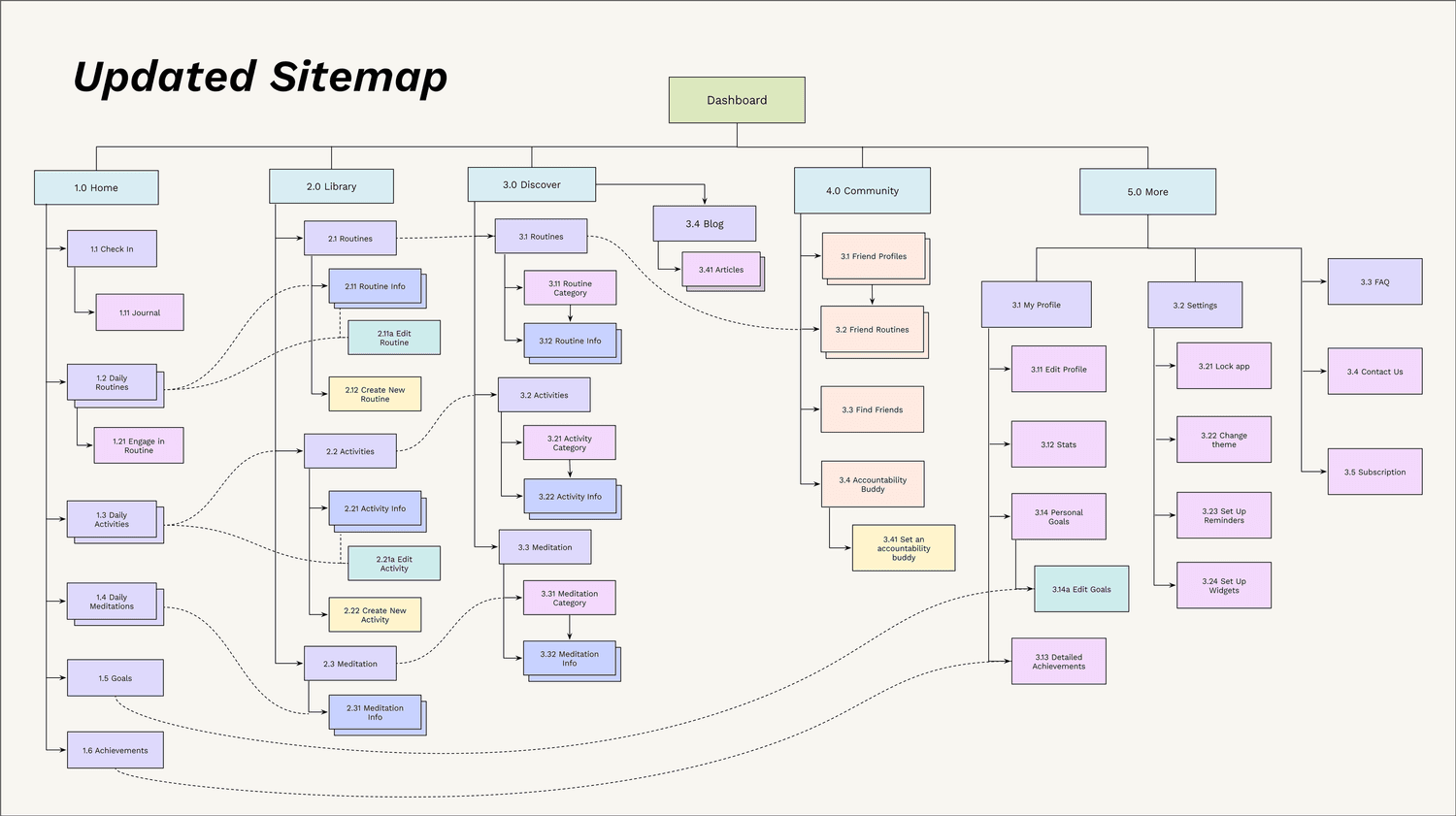
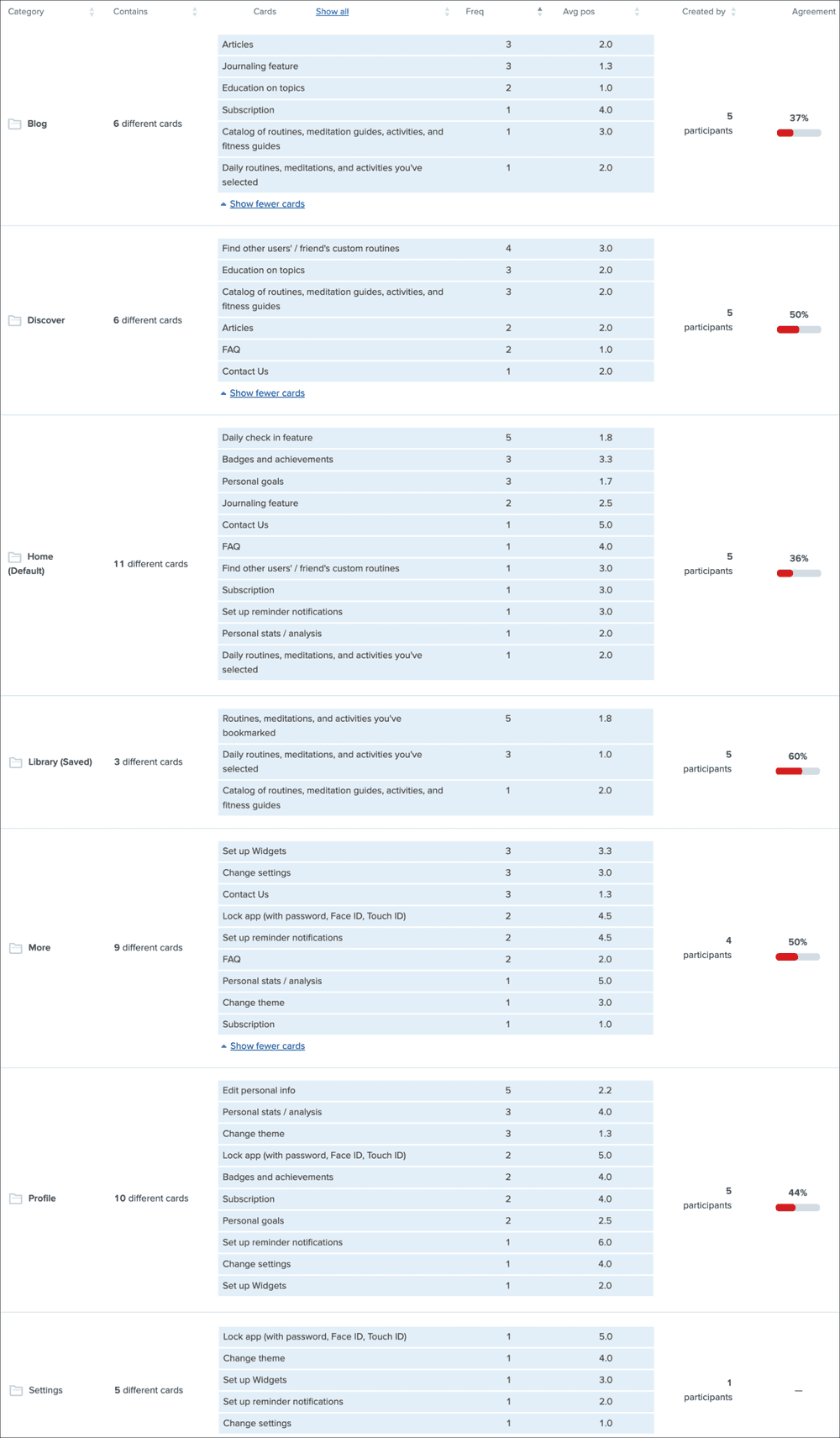
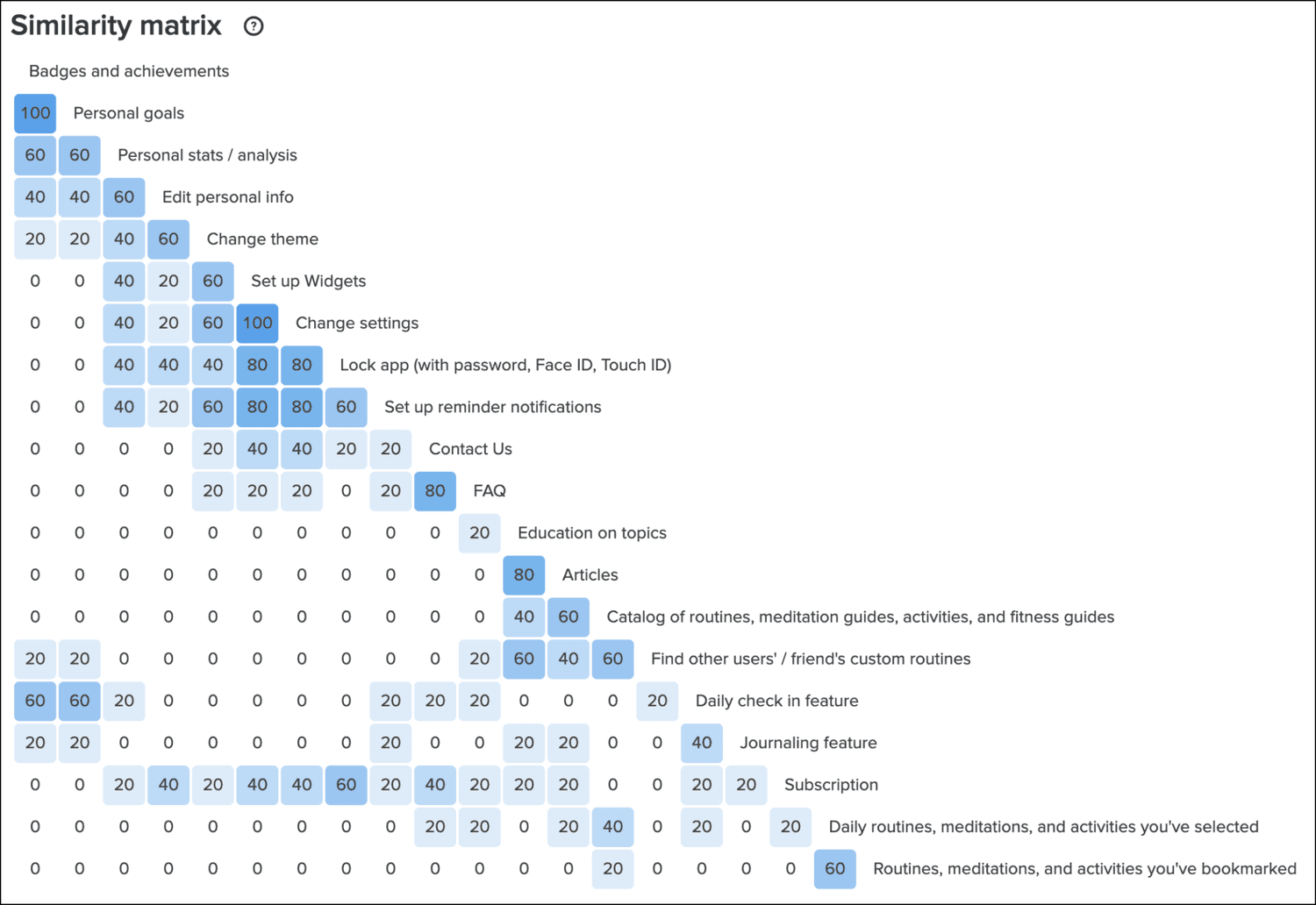
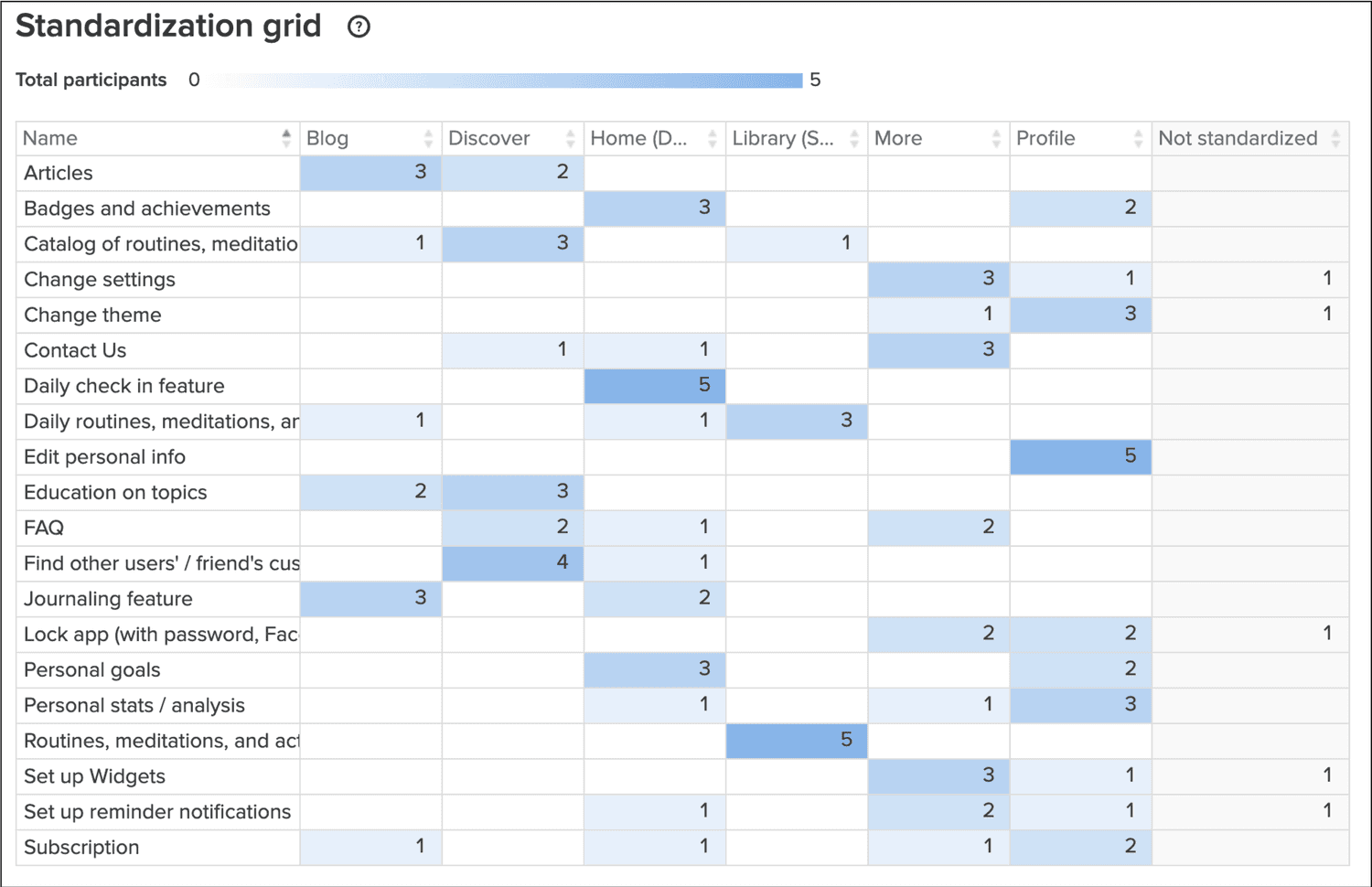
The user flows I created helped inform the initial sitemap, and I conducted one round of card sorting with five participants to help improve the architecture further. The results validated most of the sitemap I created, with a few areas of adjustments.
If I had more time, I would conduct another round of card sorting for deeper insight into the users’ categorizations. I’d also use more specific wording to reduce skewed results.
Wireframing
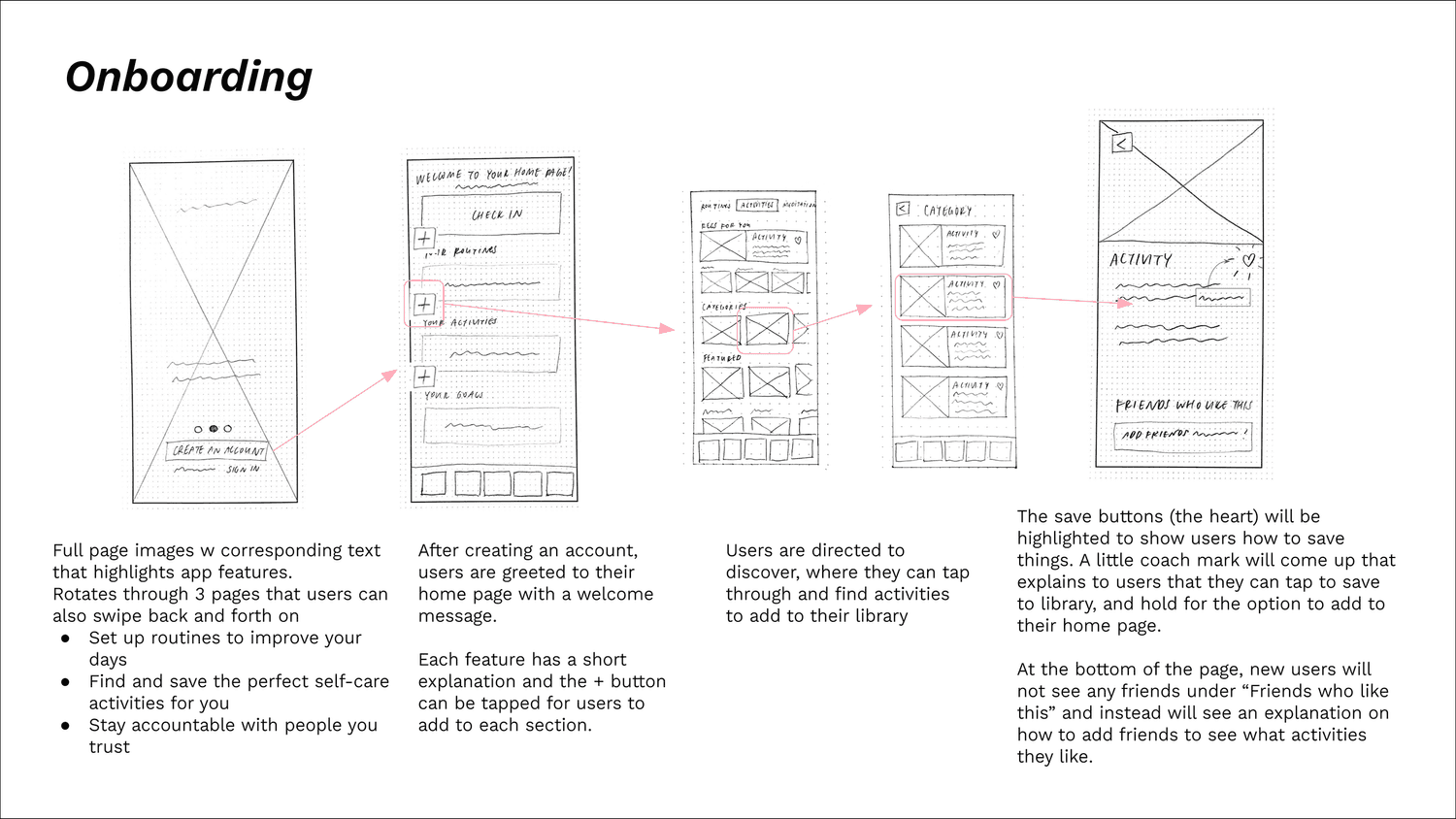
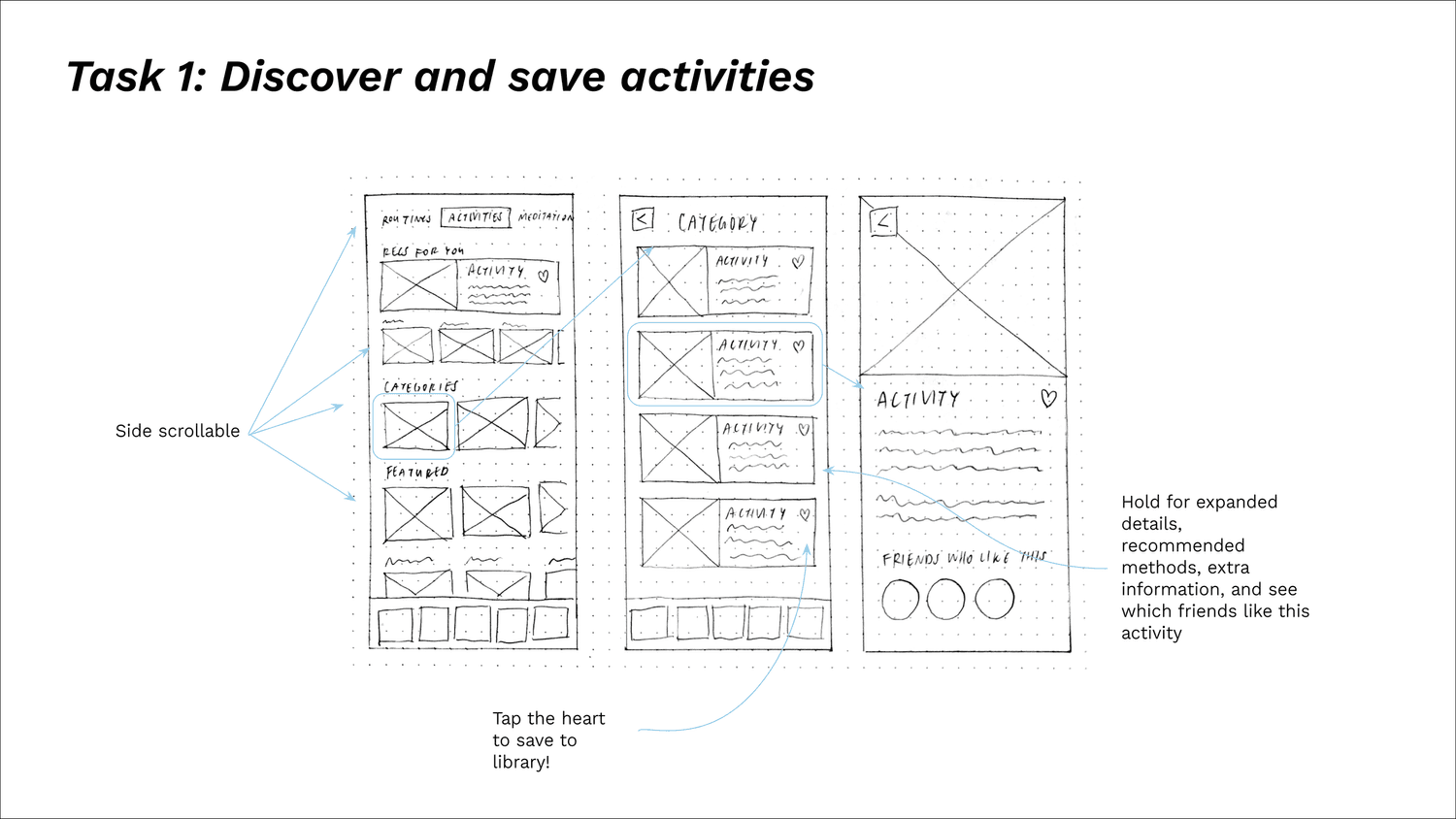
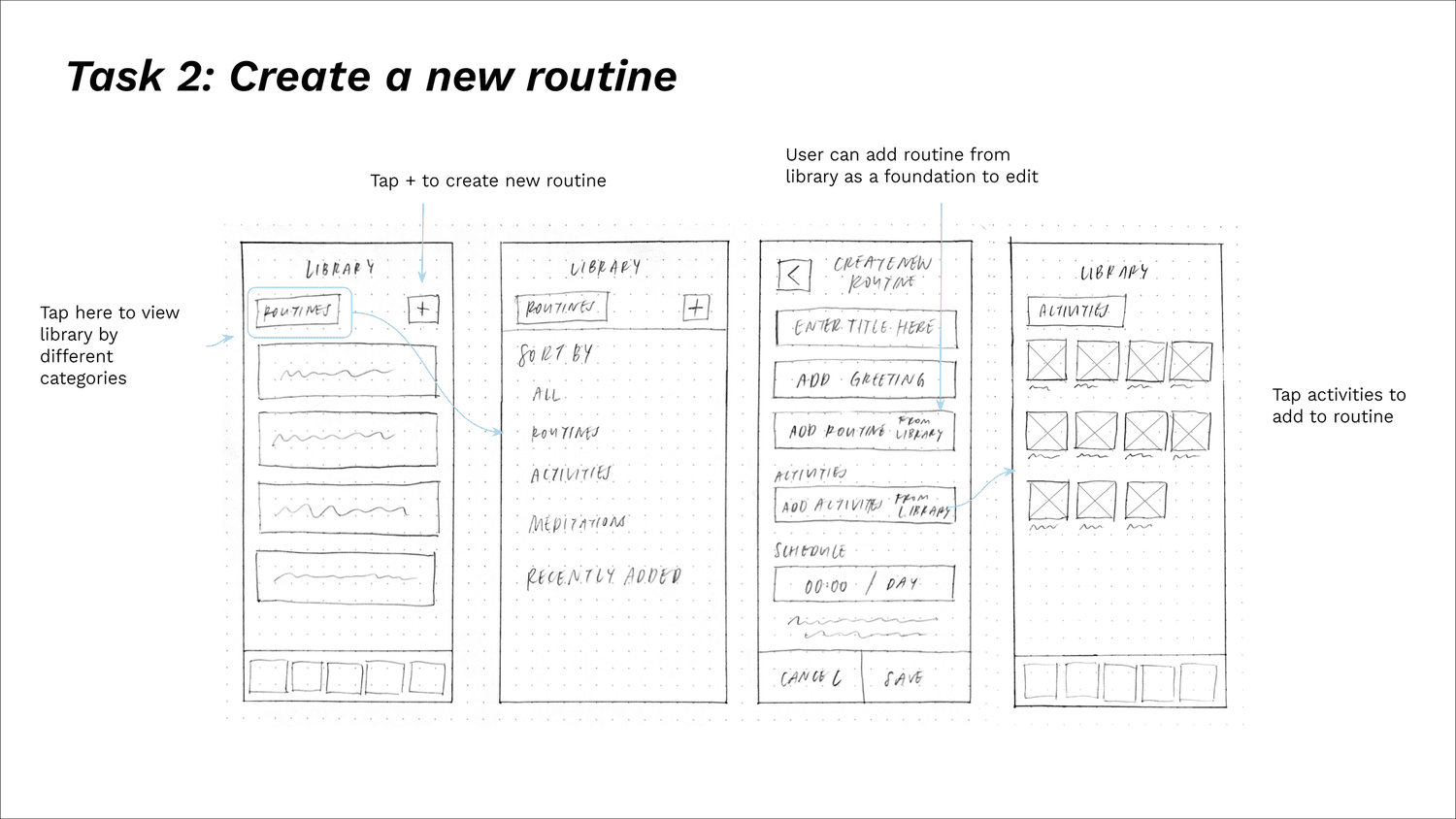
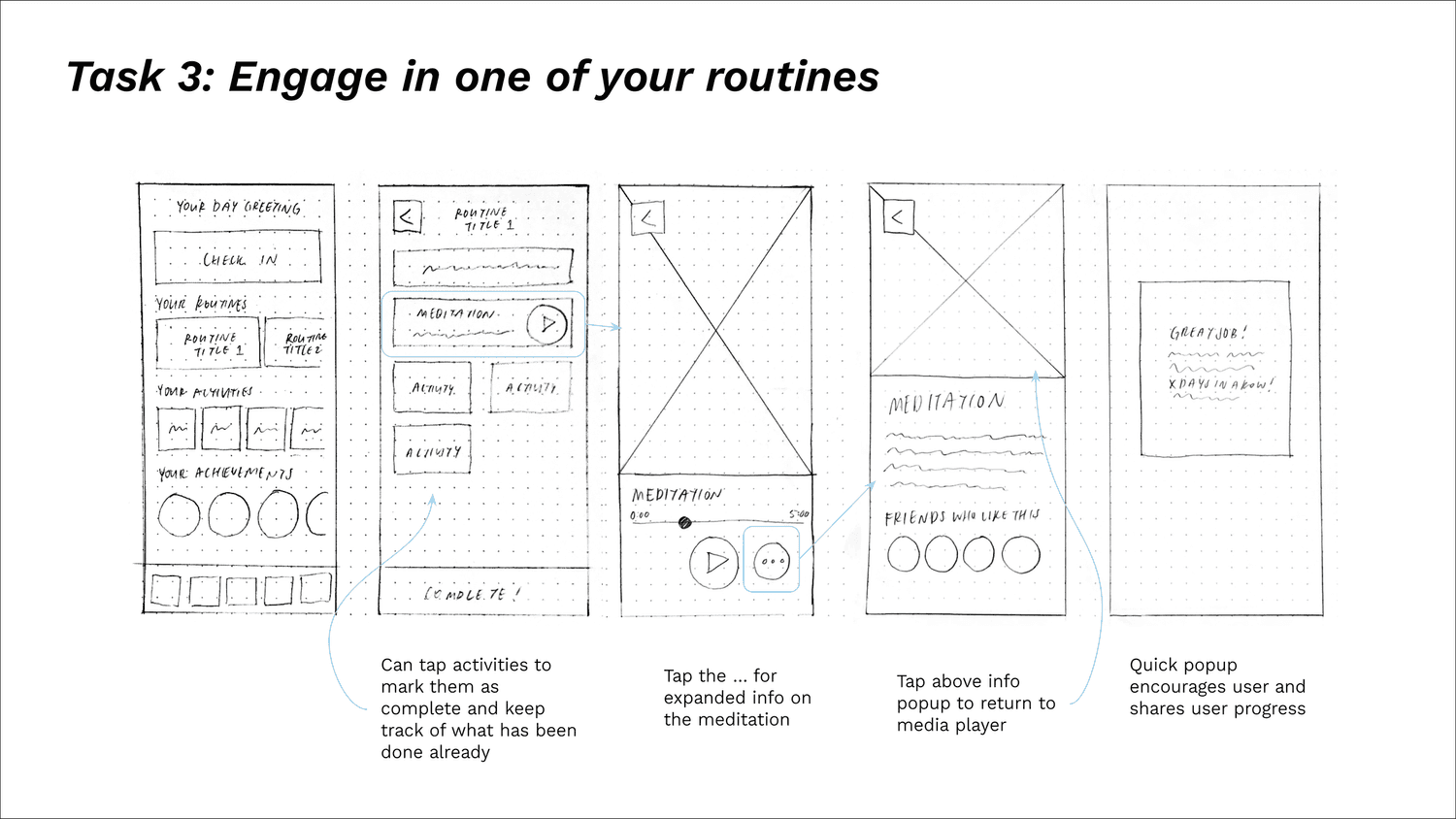
I started sketching low-fidelity wireframes early on in the research process to visually explore all my ideas. At this point, new ideas continued to spring up and demand attention. Upon defining the sitemap, I was able to narrow my focus to the four tasks I considered to be most important for new users.
Create an account / log in (Onboarding)
Discover and save activities
Create a new routine
Engage in one of your routines
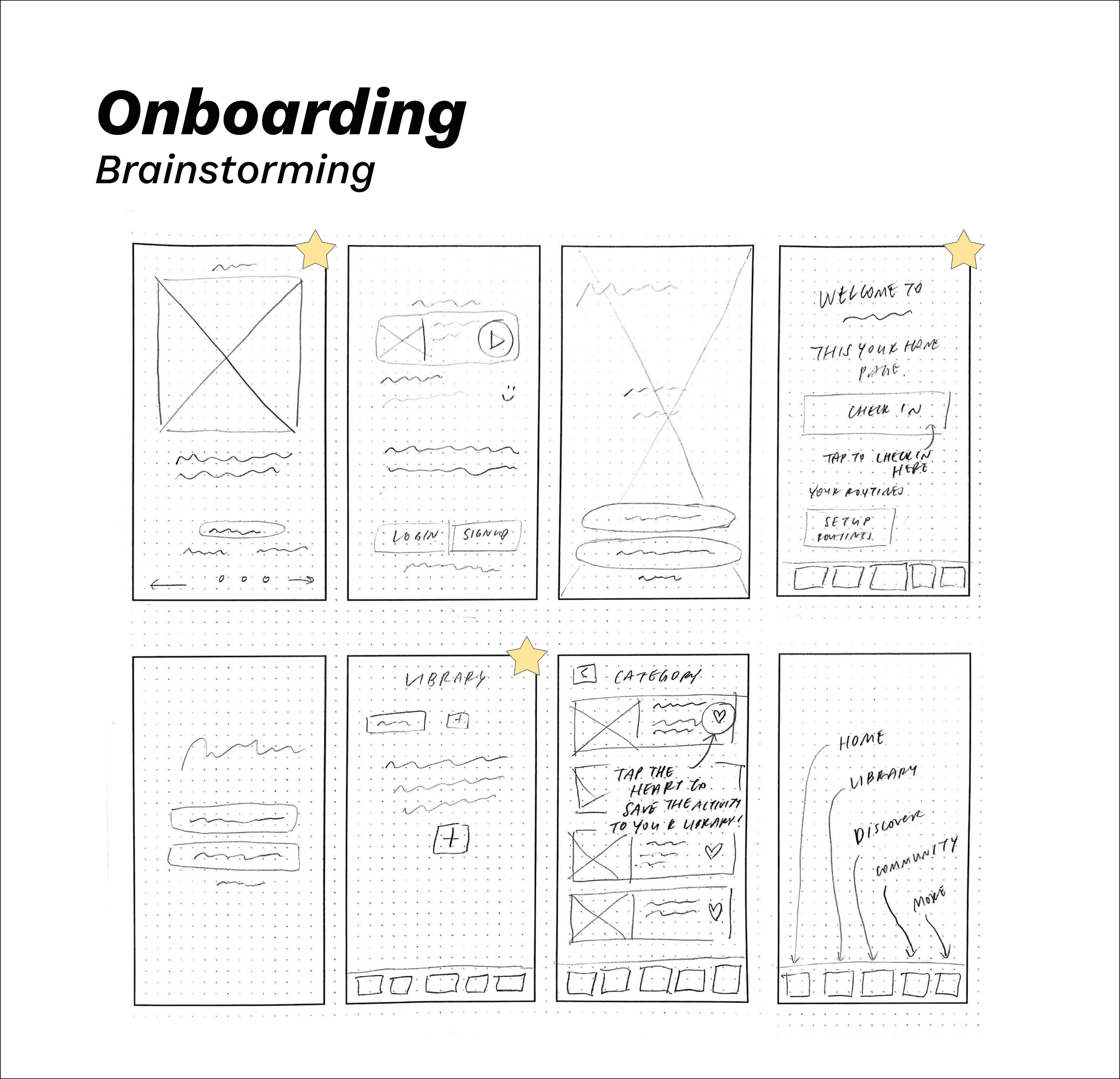

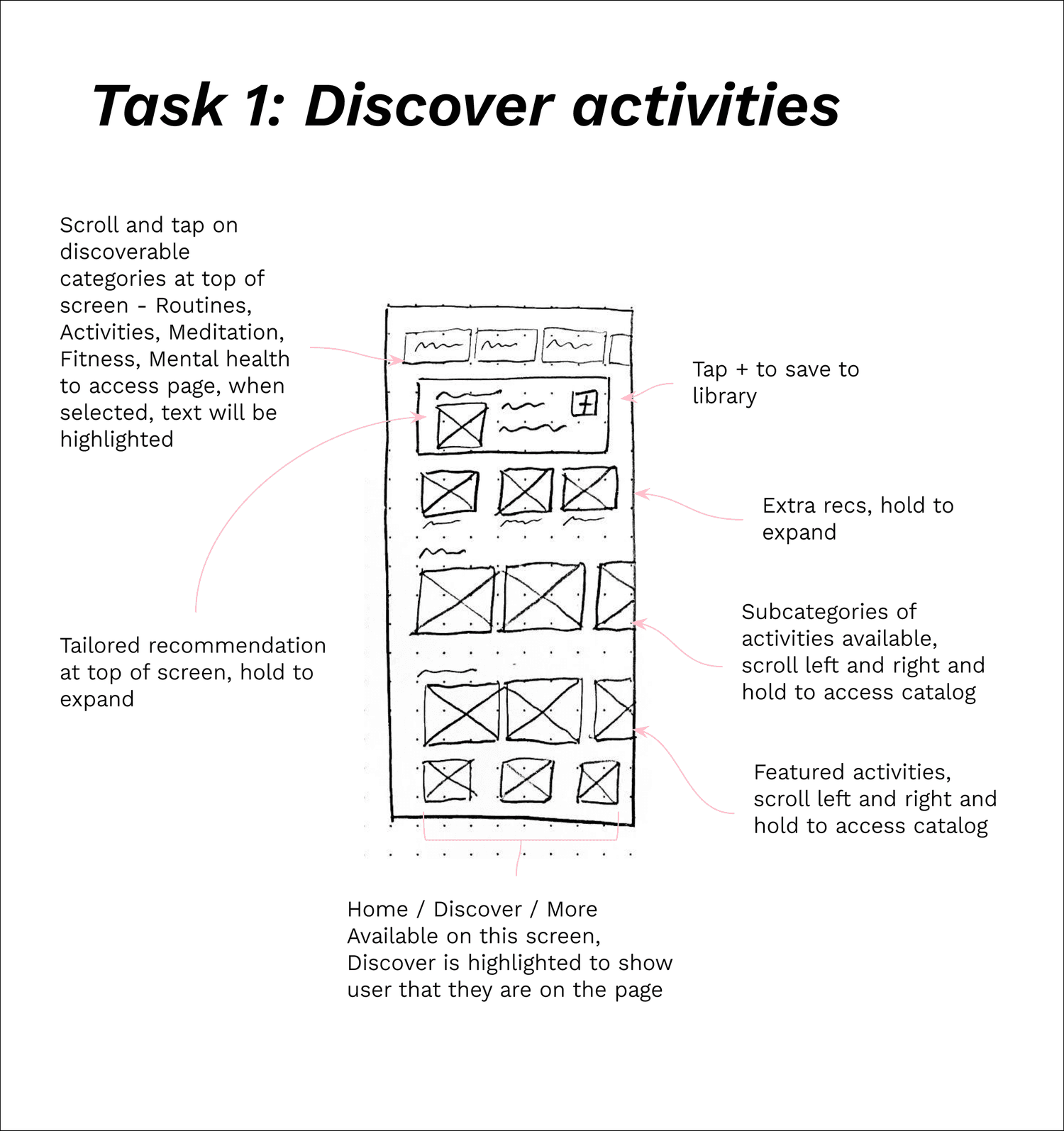
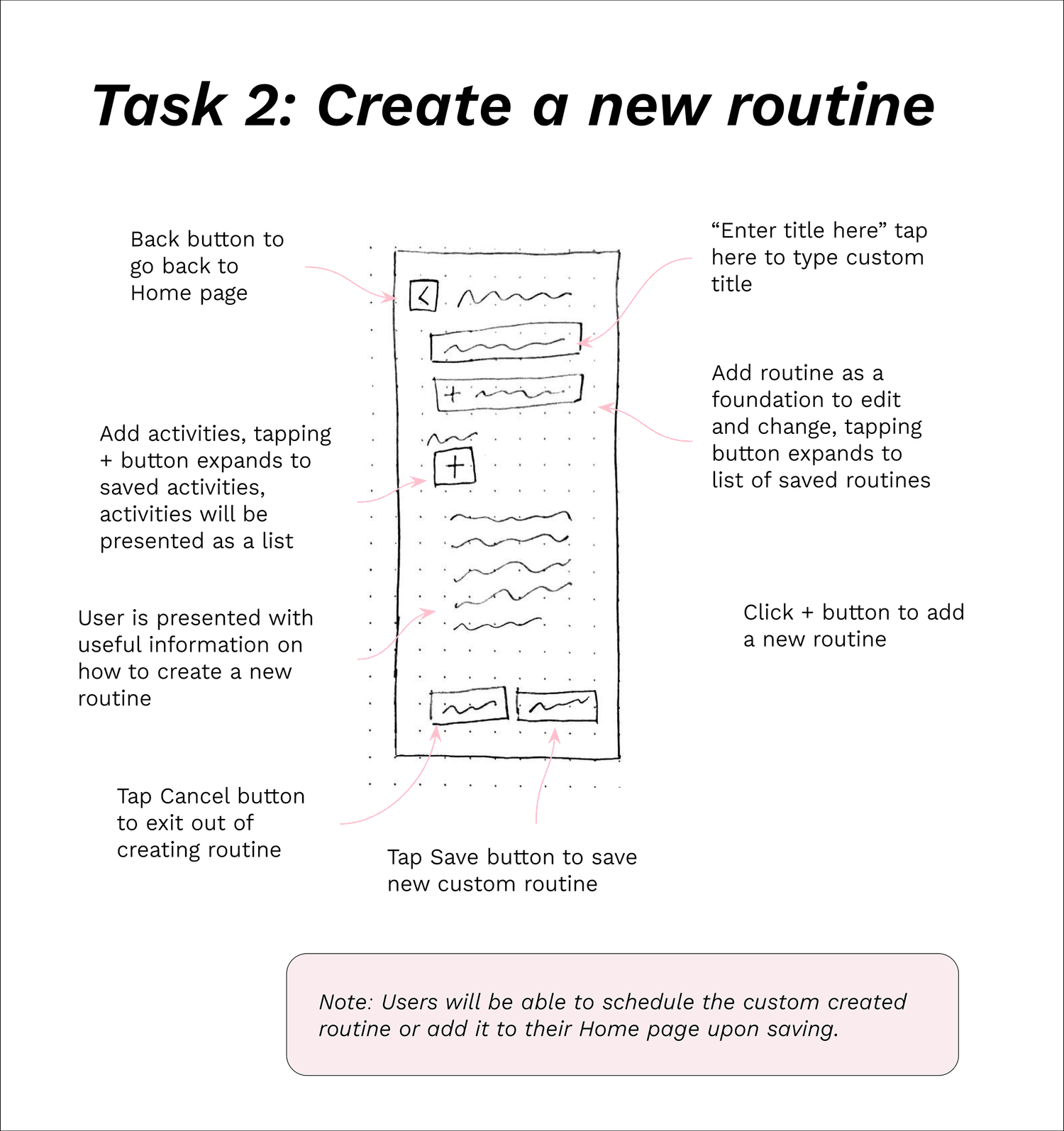
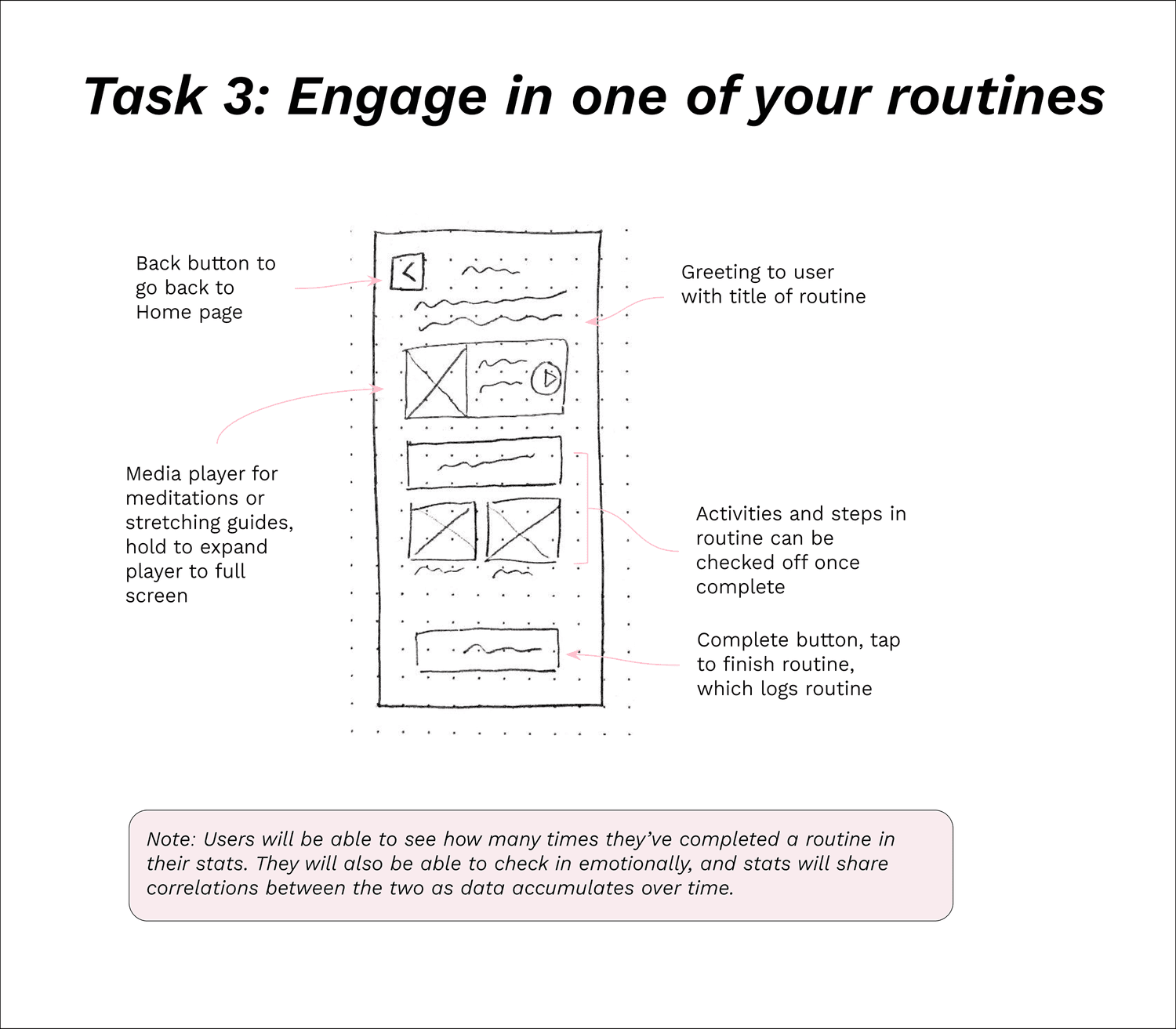
I started sketching low-fidelity prototypes to visualize how June and Alex might tap through their tasks.
Prototyping
Usability Tests
6 usability test participants, B&W high-fidelity prototype on Figma, moderated remote tests via Zoom
Errors measured with Jakob Nielsen’s scale
Usability Test Goals
Pre-test Questions
Task 1: Create an account
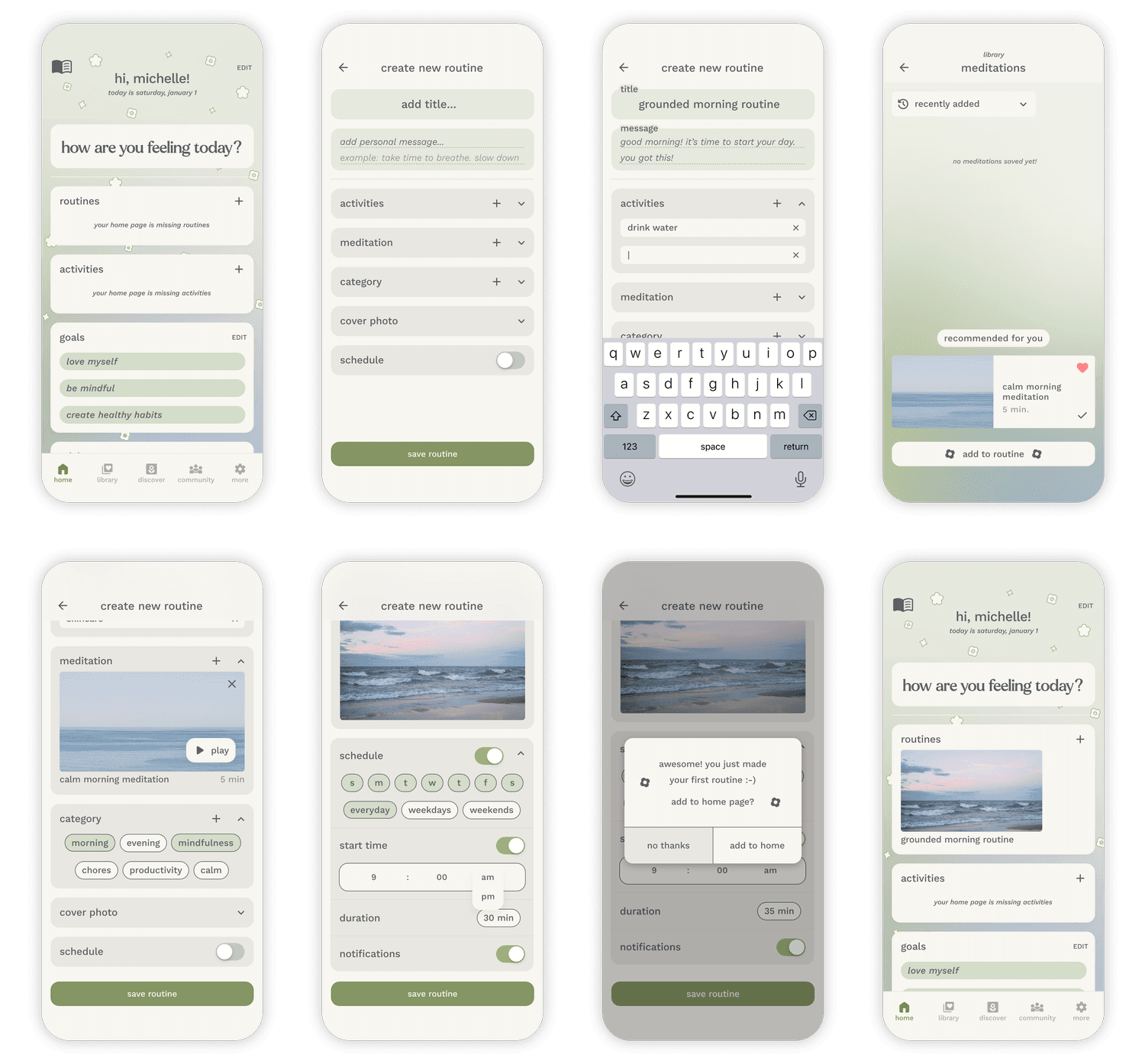
Task 2: Create a new routine
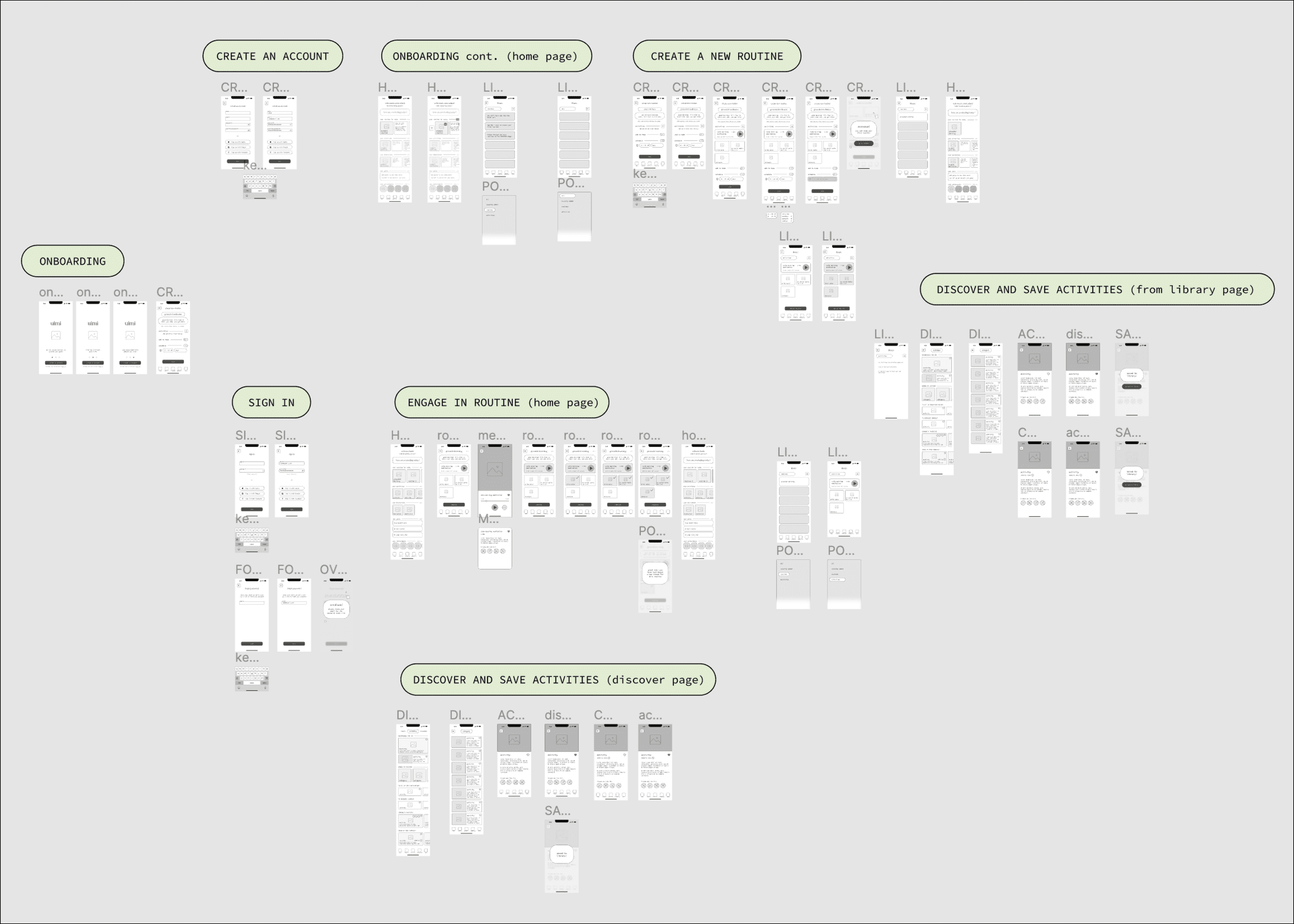
Black and white high-fidelity prototype
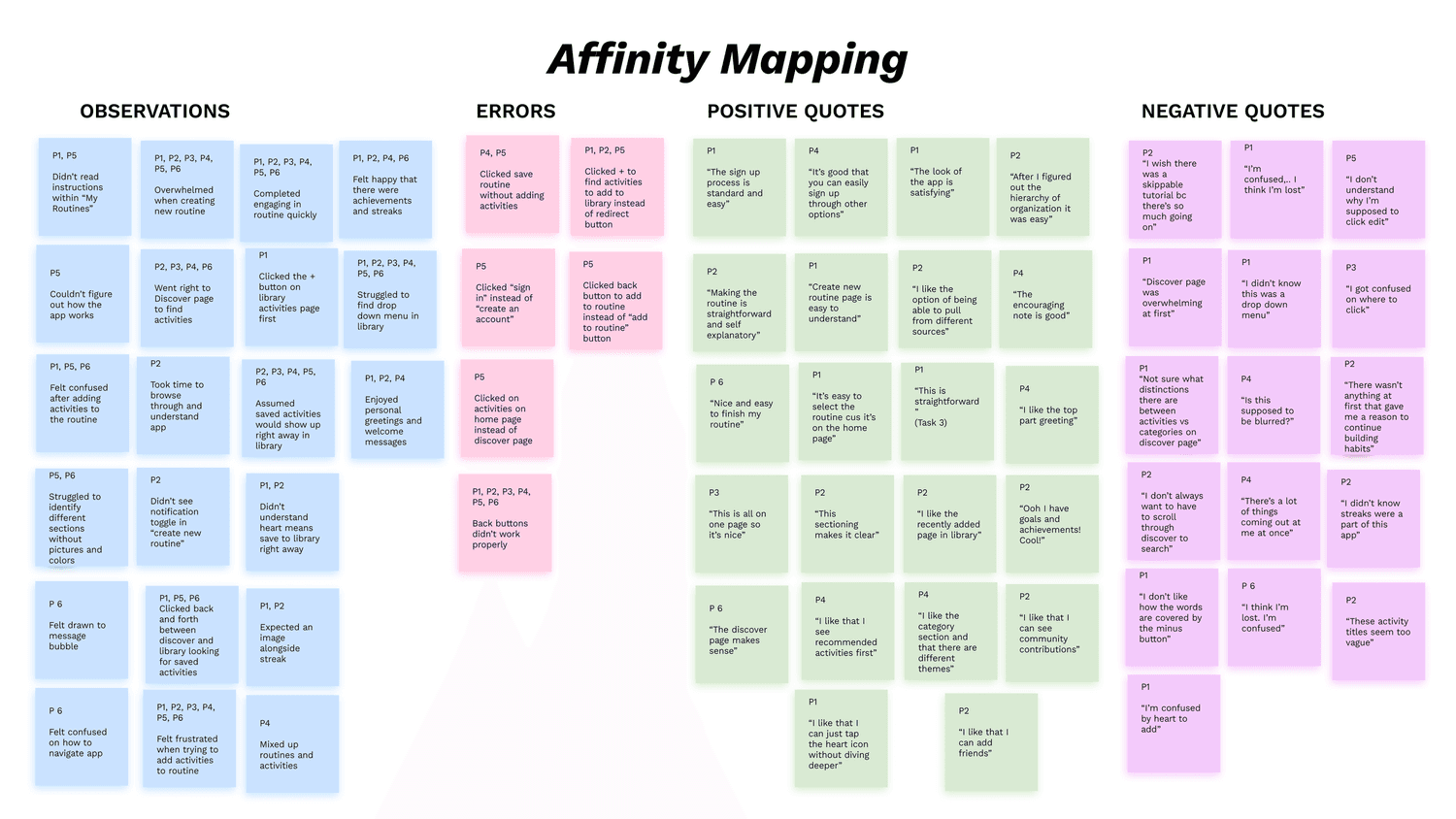
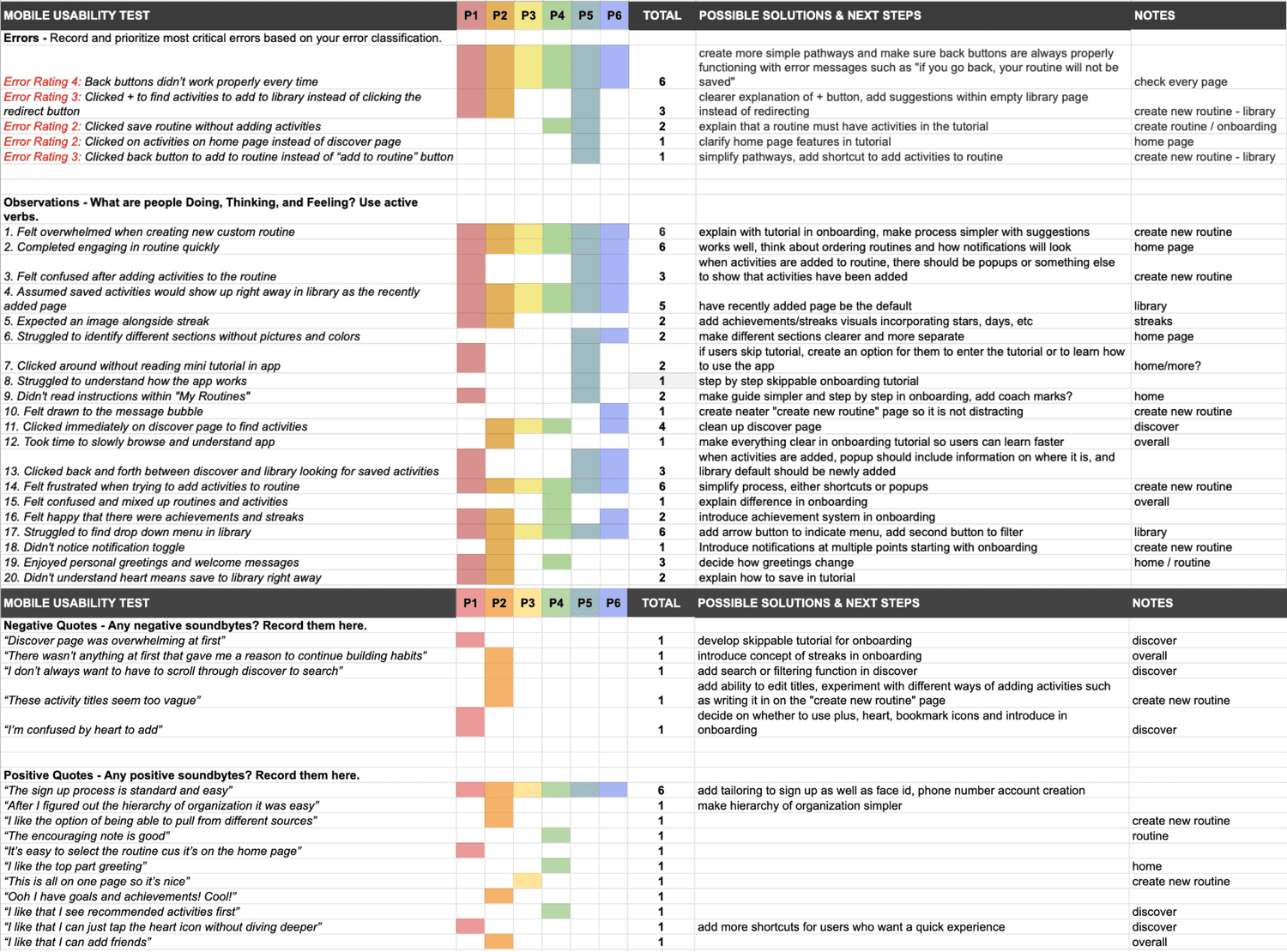
I affinity mapped observations, errors, positive quotes, and negative quotes then organized the data into a rainbow spreadsheet for further visualization of errors.
“I like that I can add friends” - KK
“I’m just gonna skip this guide… Ok please help I’m so confused!” - CT
🚨 All 6/6 participants struggled with Task 2: Create a new routine
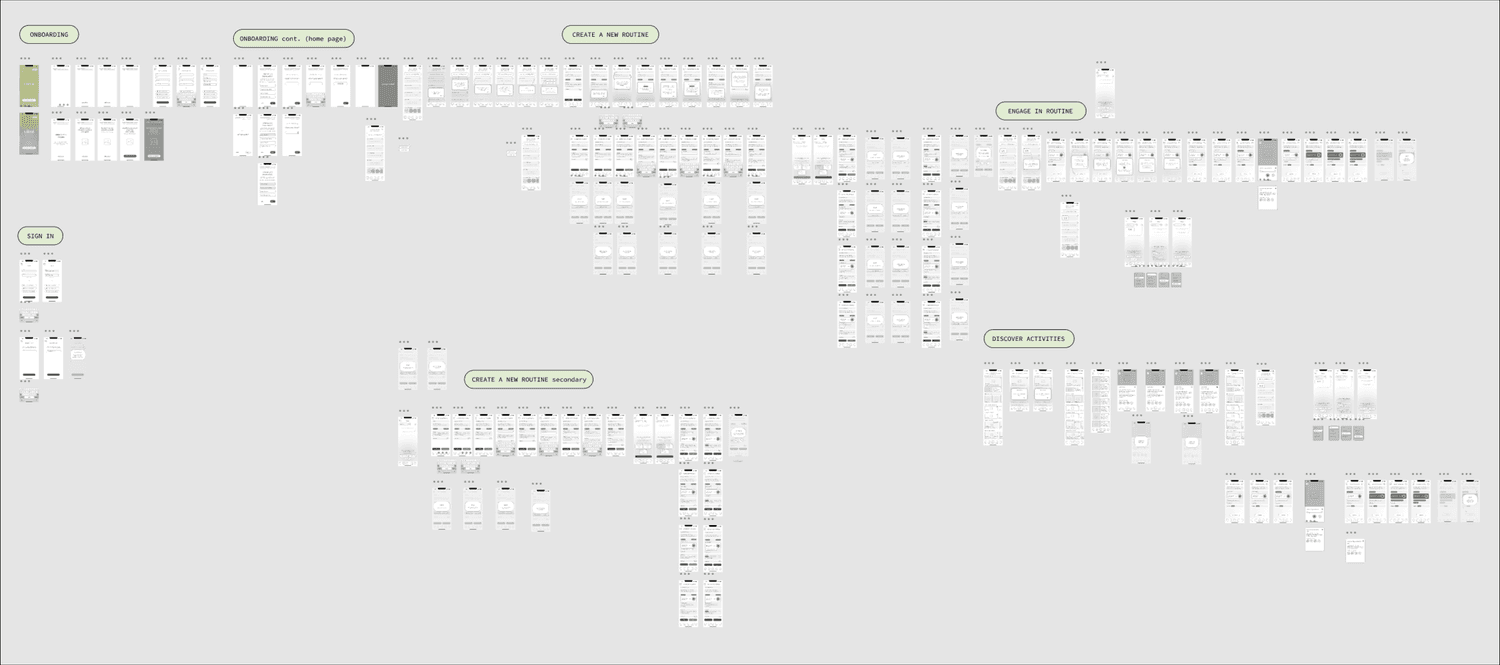
The participants struggled the most with creating a routine, so I made it my priority for the next iteration. All the participants wanted some kind of tutorial explaining how the app works after signing up, so I also experimented with that.
Hearing my users’ frustrations/feedback was really helpful in helping me step out of my own perspective and discover the key friction points. I took some time before my next iterations to review all my research and set out to make a more intuitive routine creation experience.
Iterations
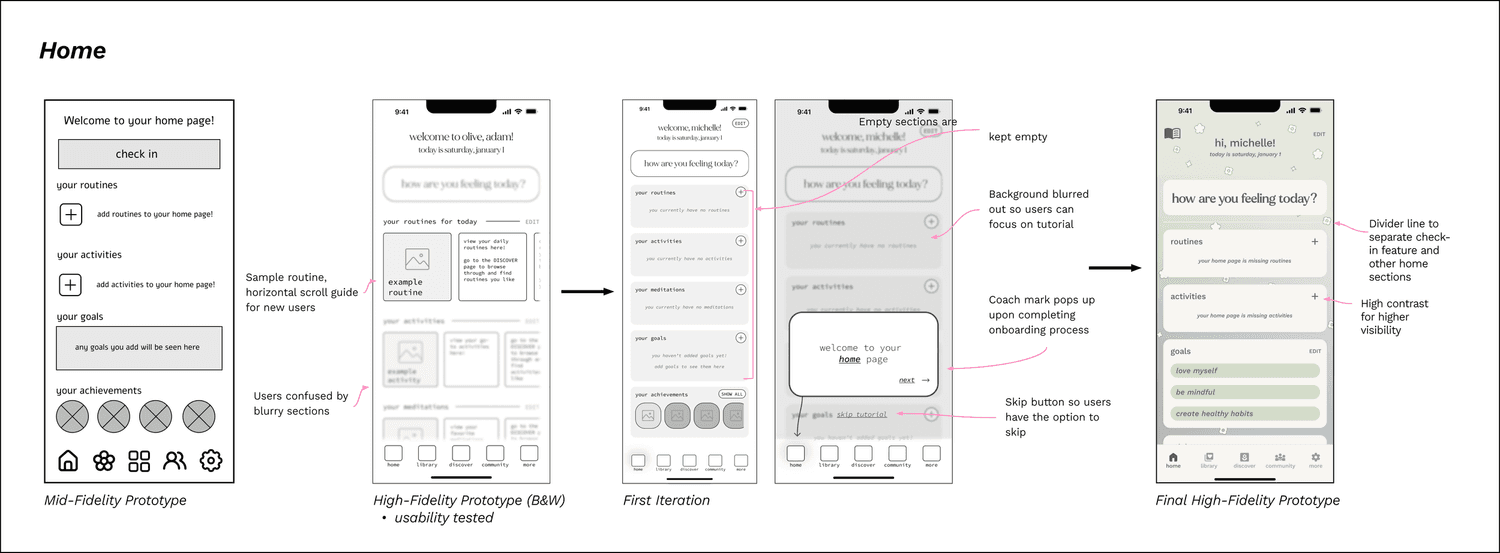
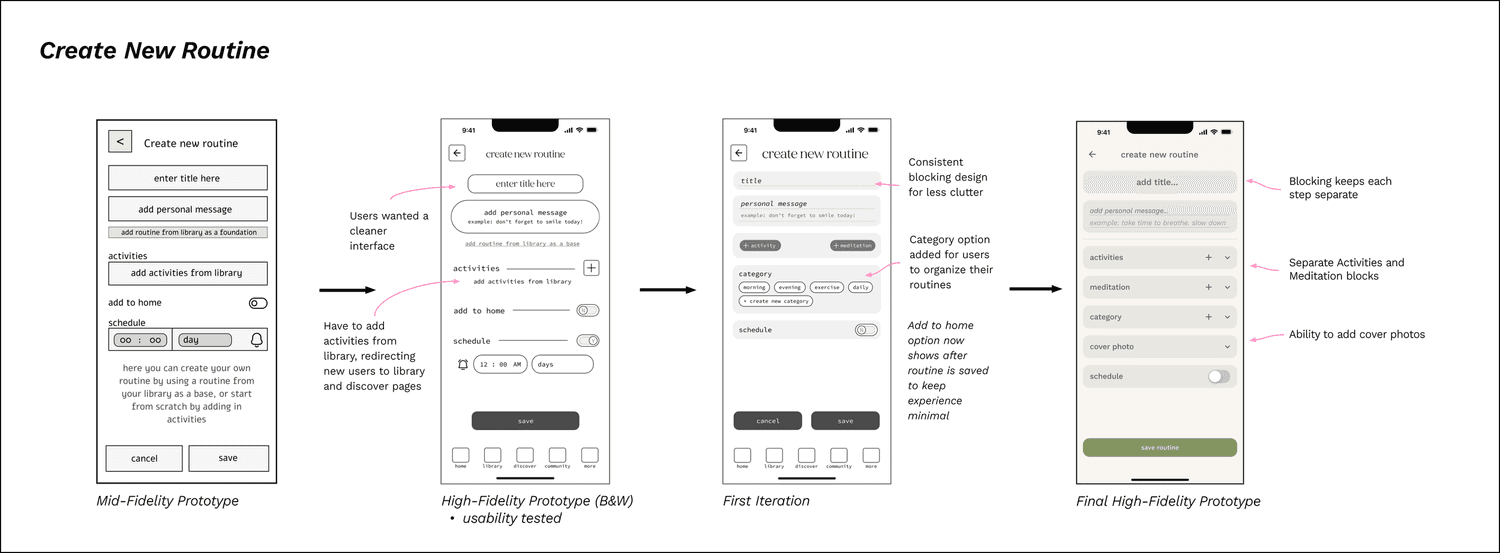
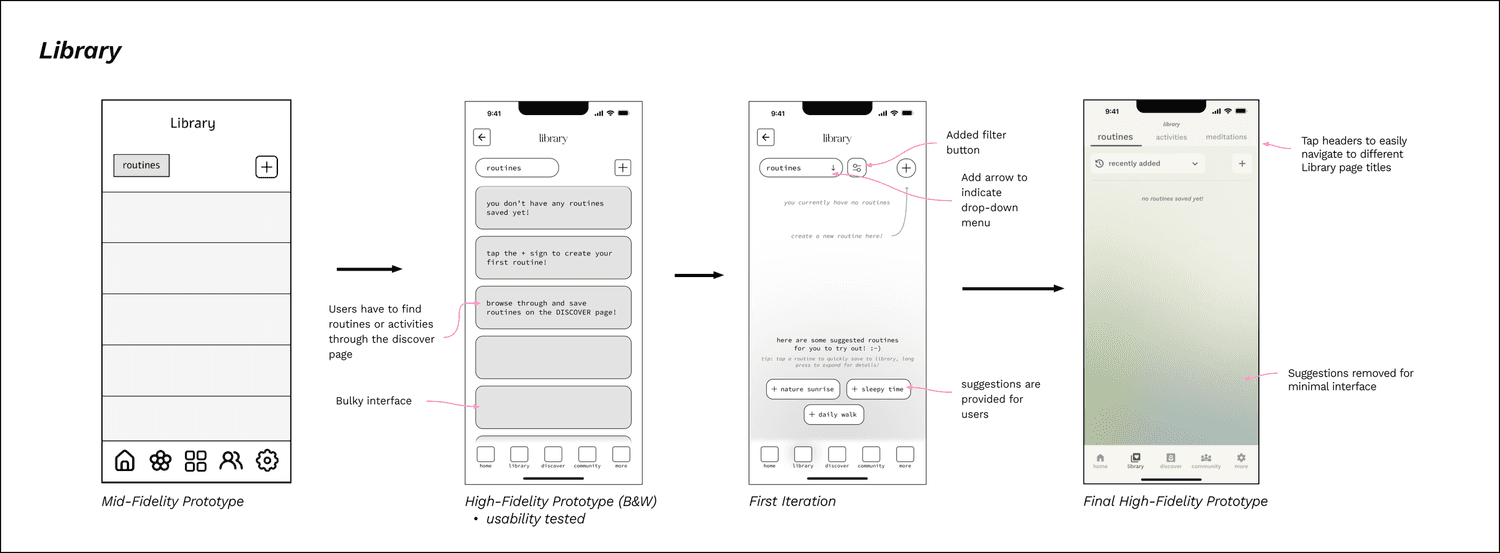
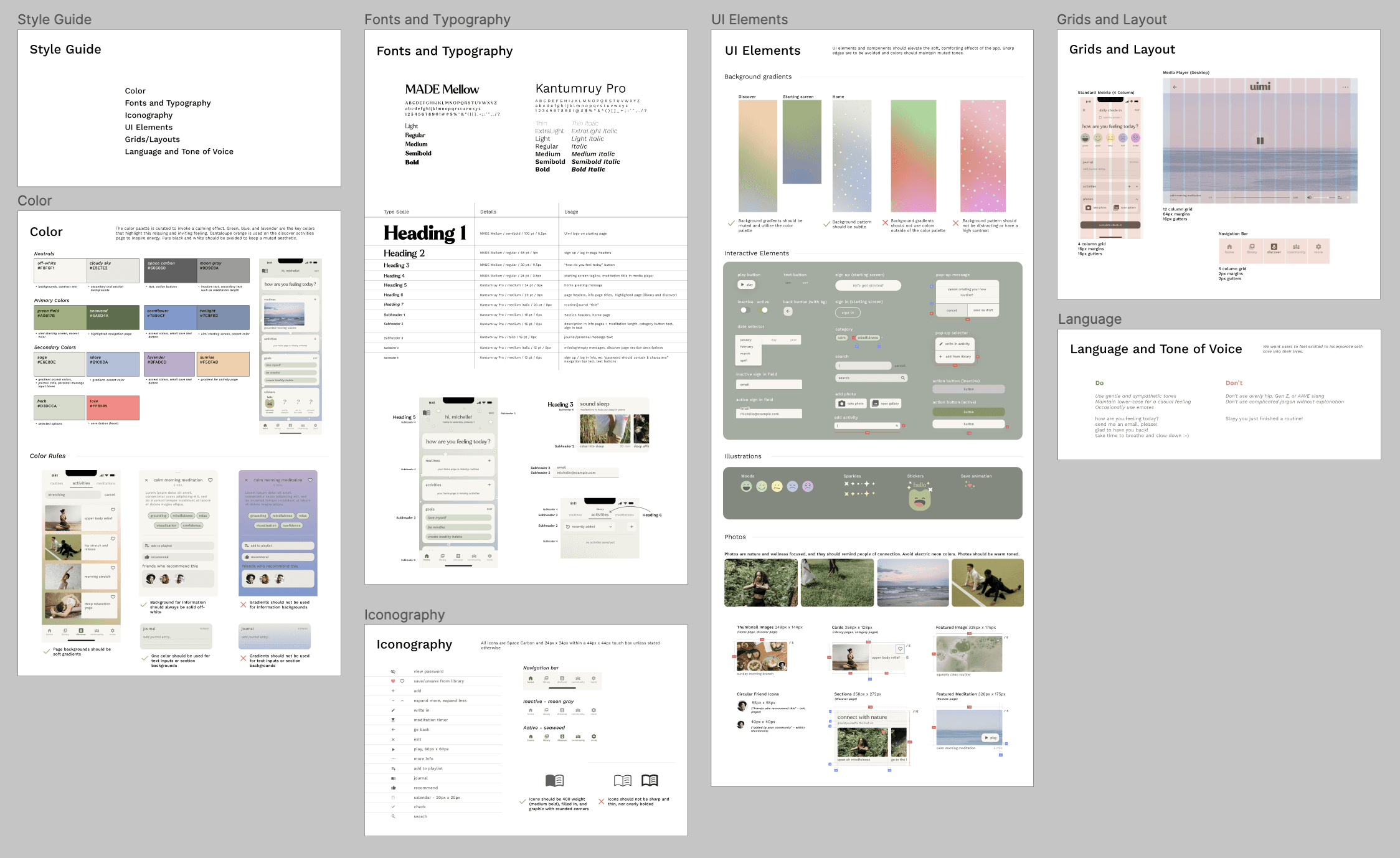
Style Guide
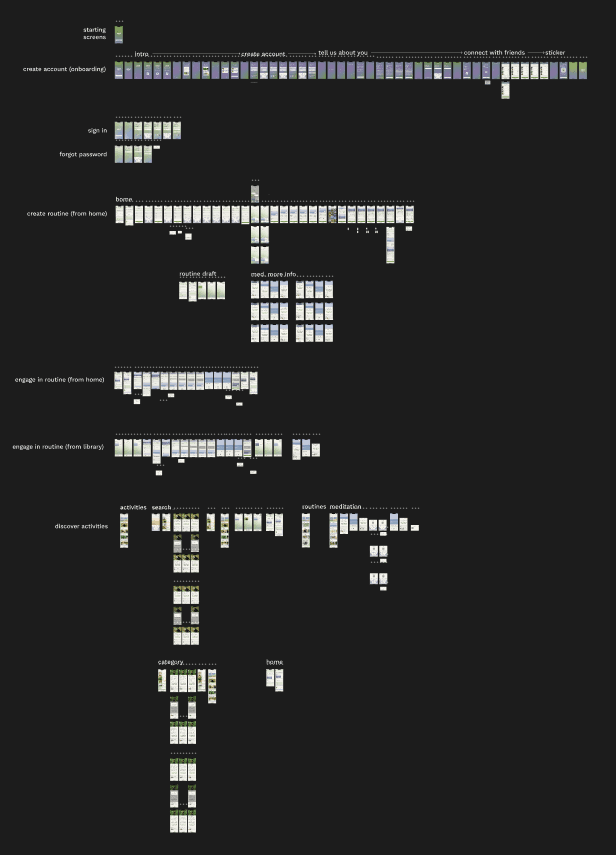
Final Prototype
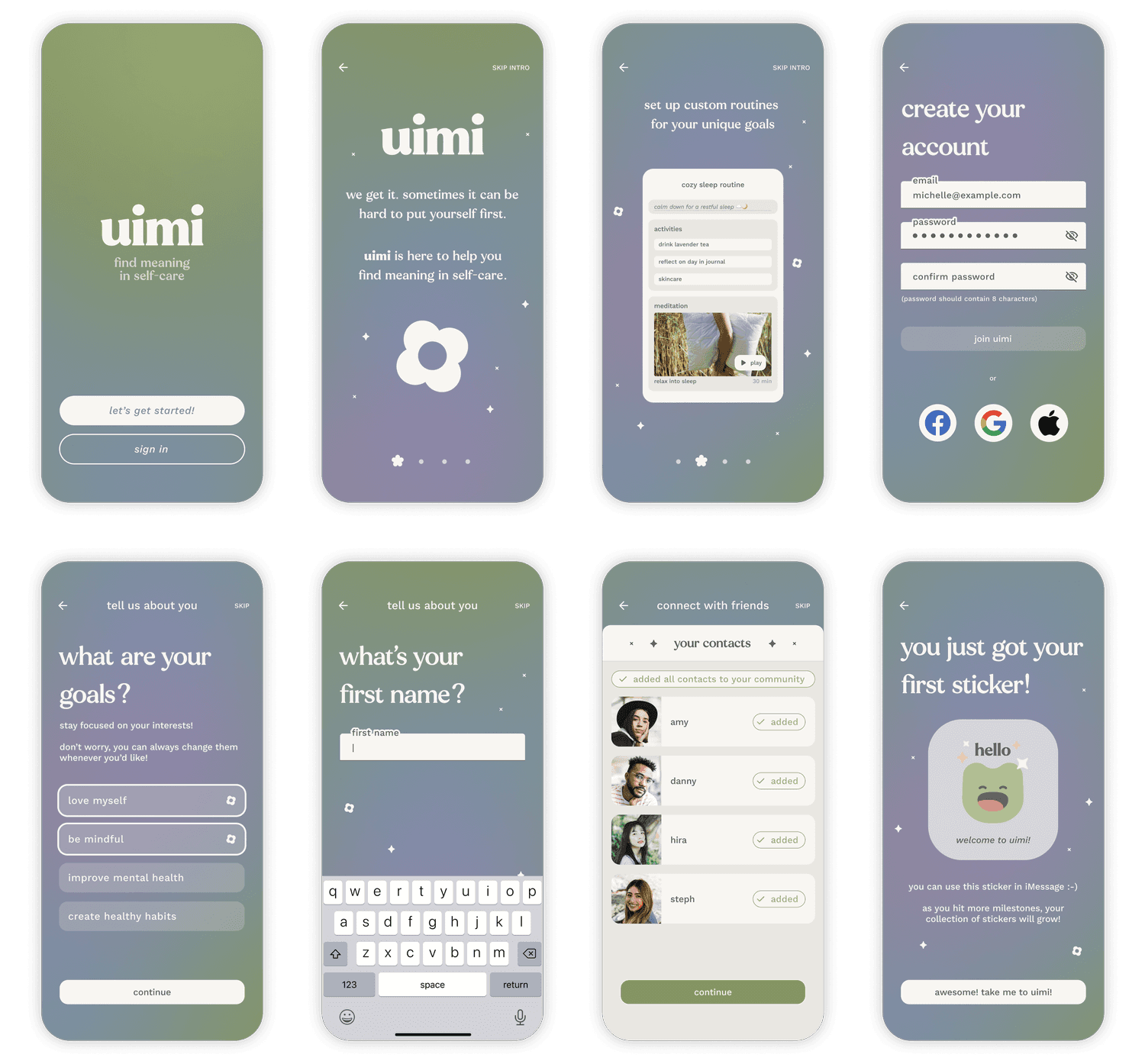
Create an account
Learn about the benefits of Uimi
Create your account with email or quick sign up with Facebook, Google, or Apple
Add your goals to tailor your experience
Build your community by adding friends
Get your first sticker for joining Uimi!
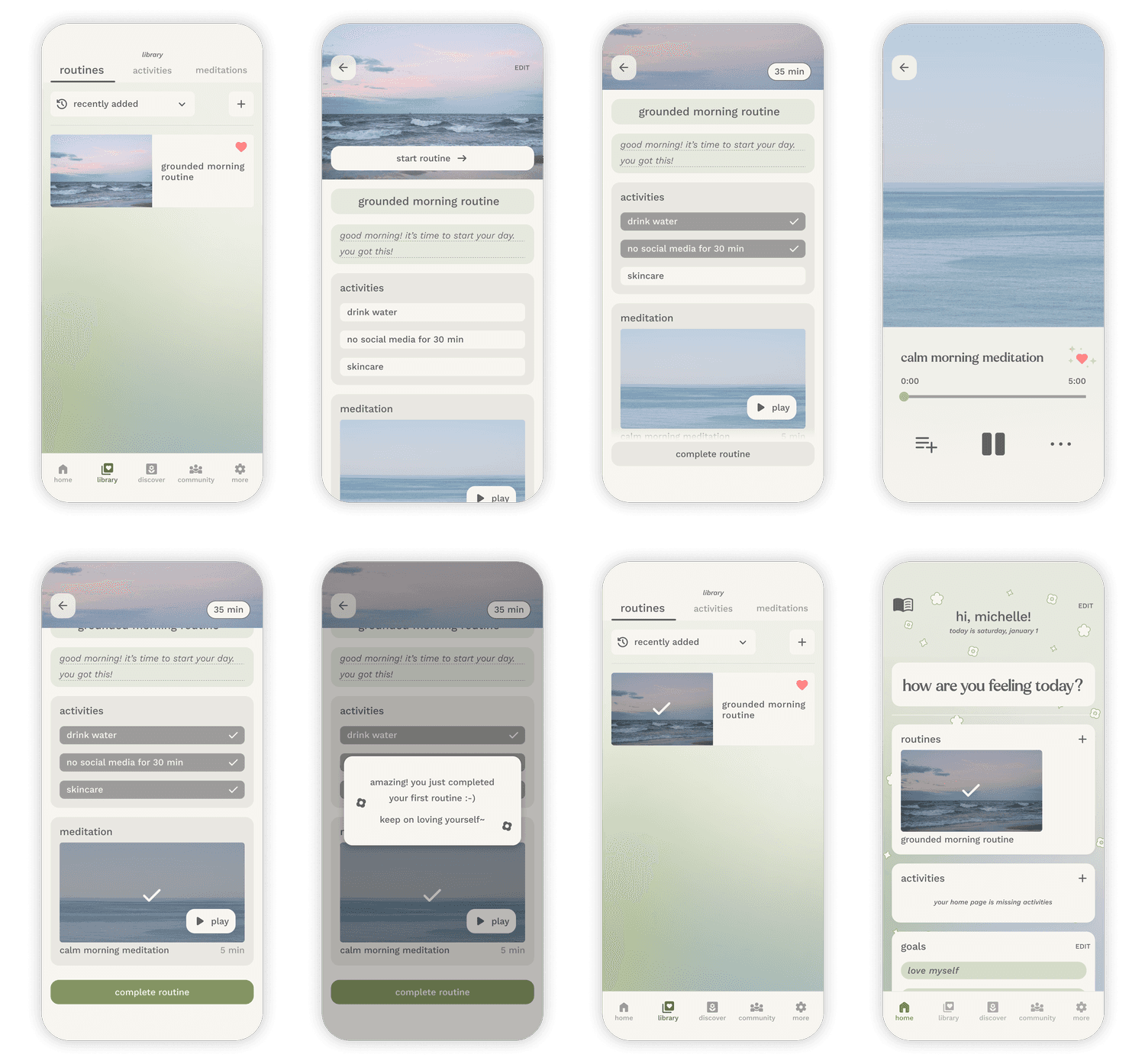
Engage in your routine
Engage in your routine from Home or your Library
Tap activities to mark them as complete
Completed routines are marked in your Library / Home daily
Discover and save activities
Explore the Discover page to find new activities
Try out tailor recommended activities
Discover activities by category or by searching
Save your favorite activities to your library ♥️
Iterations
Create an organization system early on
It’s crucial to stay organized when there is constantly new files, research, and data coming in. It’s also helpful to create a design system earlier on as well.
Research is continuous
I don’t want to say it never ends, as there are deadlines. But I found myself researching continuously at every step of the way. Every problem needed a new solution, and I loved that I didn’t have to rely on my own assumptions to solve them.
Iteration over perfection
This project reinforced how it’s much more important to take in user feedback and evolve the product rather than aim for perfection.
If I had more time…
I would’ve conducted more research! More interviews, more usability tests, more preference testing… Looking back, I would also consider setting specific success/failure metrics during usability testing, such as clicks-per-task or time-per-task.
I’m not quite satisfied with the buttons - I would like to try out a few more options and test them out with users to get their feedback. The Community feature is the next key feature I would focus on building, as well as the More page. I thought of a few different ideas to expand the customizability of Uimi as well, such as a dark mode, different color modes, higher accessibility versions, and so on!
