
GoodStudy
Study with your buddies

Project Overview
GoodStudy is a responsive web app that helps students connect with their peers
Responsive social studying web app that allows students to engage with a like-minded student community whenever and wherever they want. They can connect with others in their field to chat, study together, share insights, receive peer feedback on assignments, and collaborate with on projects.
This UI design project was completed for the Careerfoundry UI for UX Design Specialization course.

Role
UX/UI designer
Duration
2 months
Tools
Figma

Context
Studying can get boring and tiring, so people like to study with others. Studying with other students has multiple benefits, such as more effective learning, higher motivation, and increased engaging discussions. However, circumstances such as lacking transportation, Covid restrictions, disabilities, and financial restrictions can make this difficult.
I also really like to do my work alongside other people. It’s a productive strategy called body doubling, in which another person works alongside you as you complete a task you might otherwise find challenging. In an effort to study with company, I tend to join Discord voice channels. However, as Discord is primarily a gaming platform, I can easily get distracted by friends who are talking a lot and playing games. I felt like there was an opportunity here to create a social experience geared around studying with others!
Challenge:
Students need an easy and undistracting way to connect with their peers in their field or related disciplines.
Opportunity:
Enhance the learning experience by creating a space for students to study, chat, and connect with their peers on the go.
User Persona
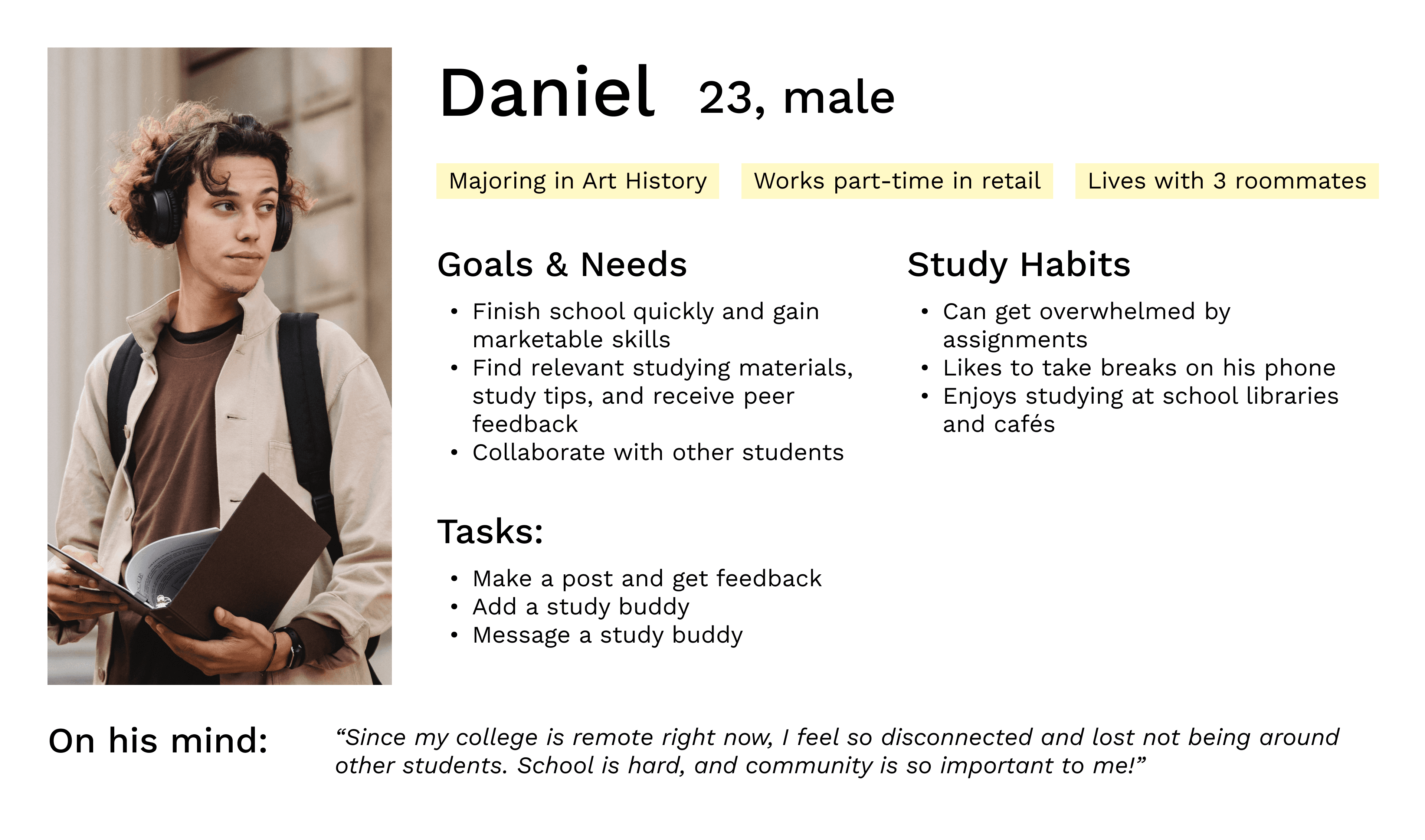
I started by creating my persona, Daniel, to help guide my design decisions and increase empathy towards the GoodStudy user experience.
User Stories
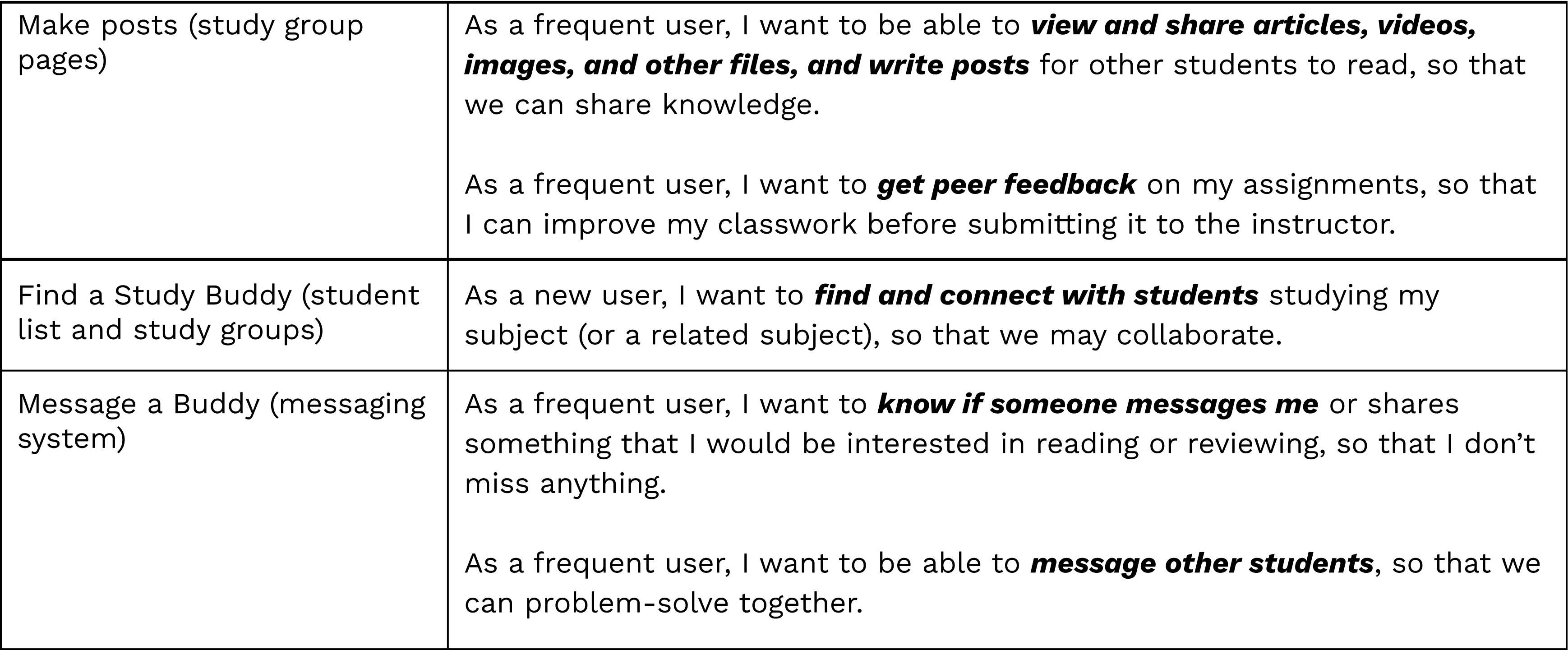
Creating user stories helped me get into Daniel’s mindset, identifying his deeper motivations and desires for possible features! The following three user stories are the tasks I chose, as they were most prevalent to his needs as a busy, remote student.
User Flows
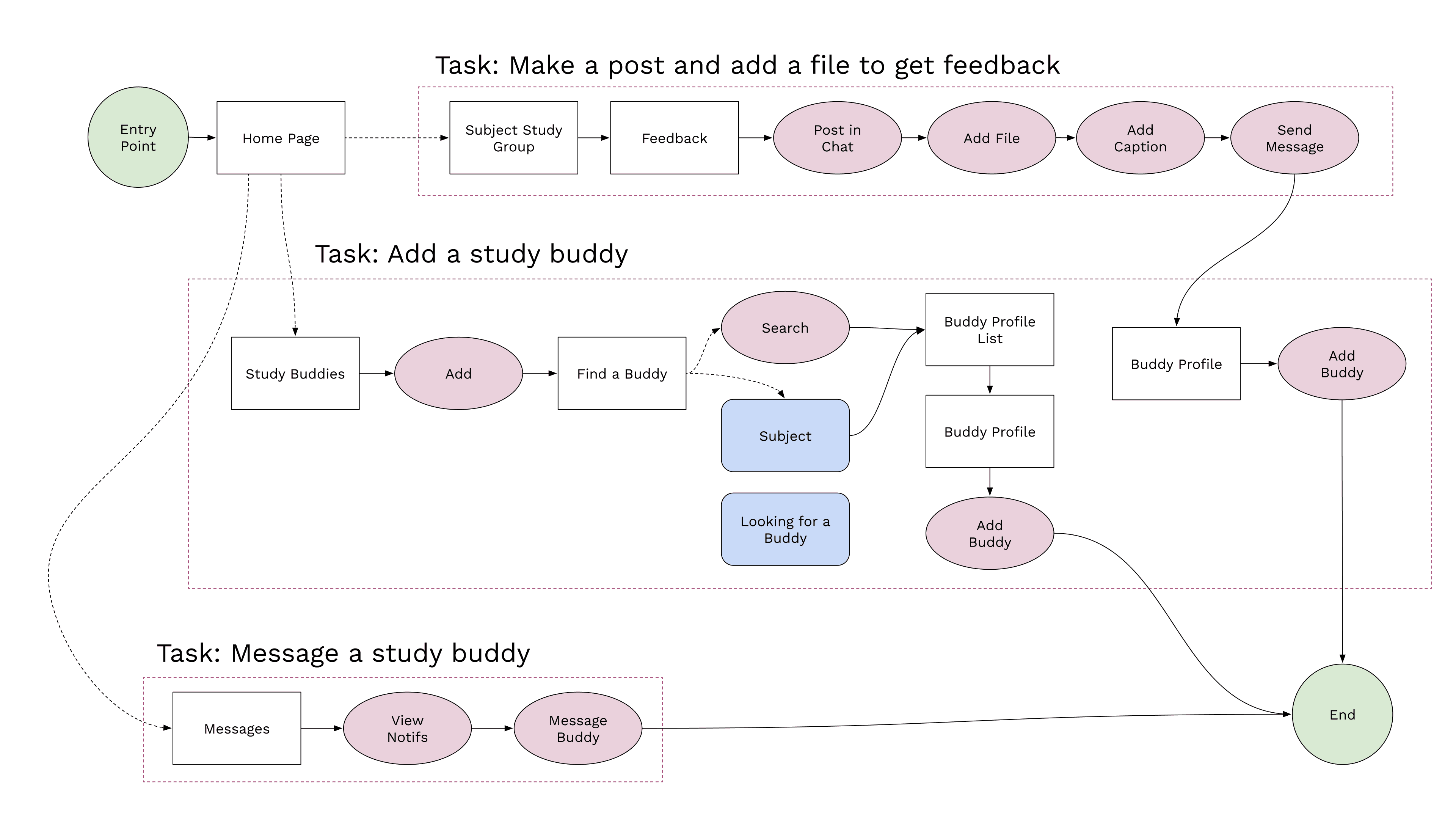
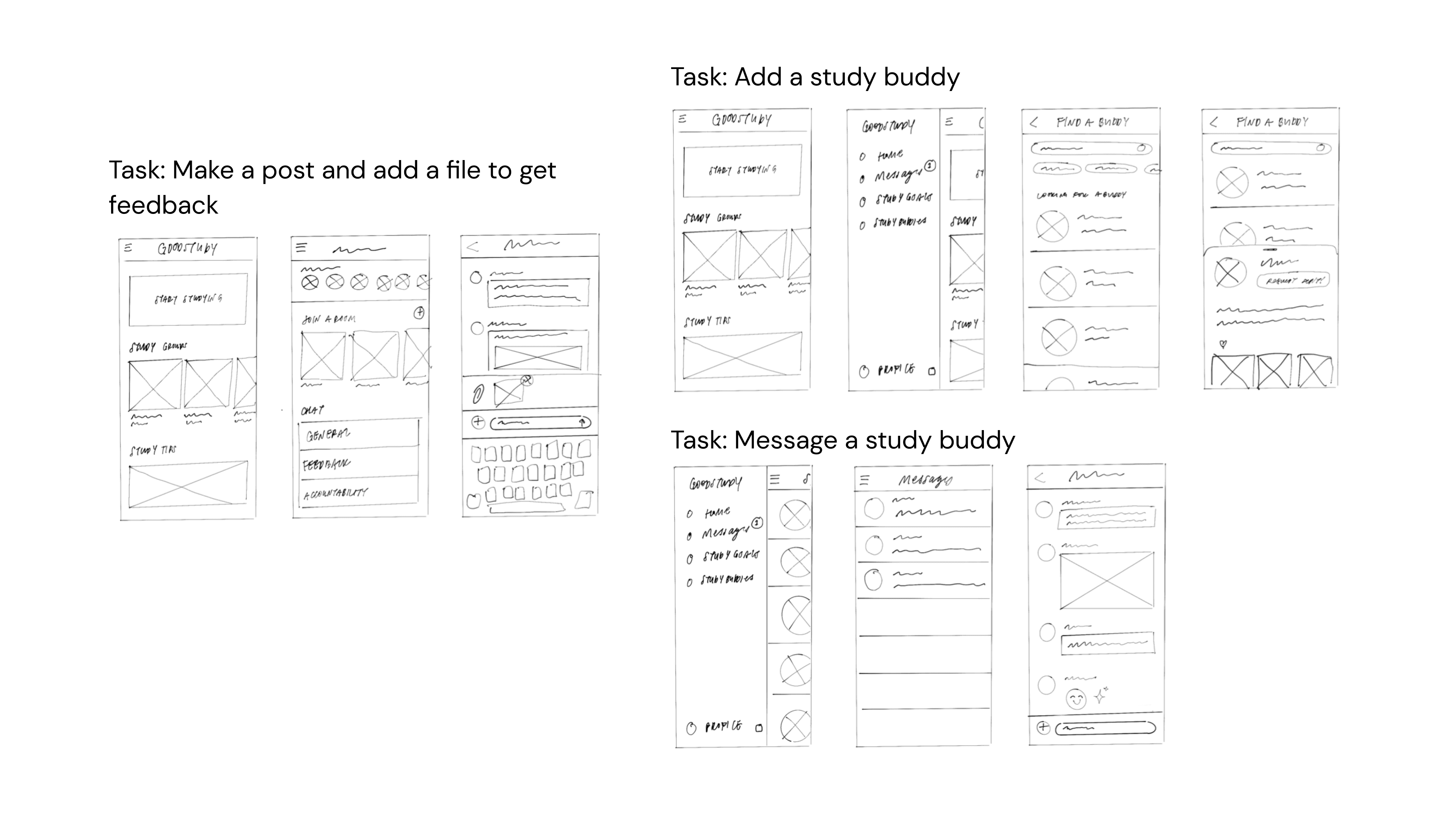
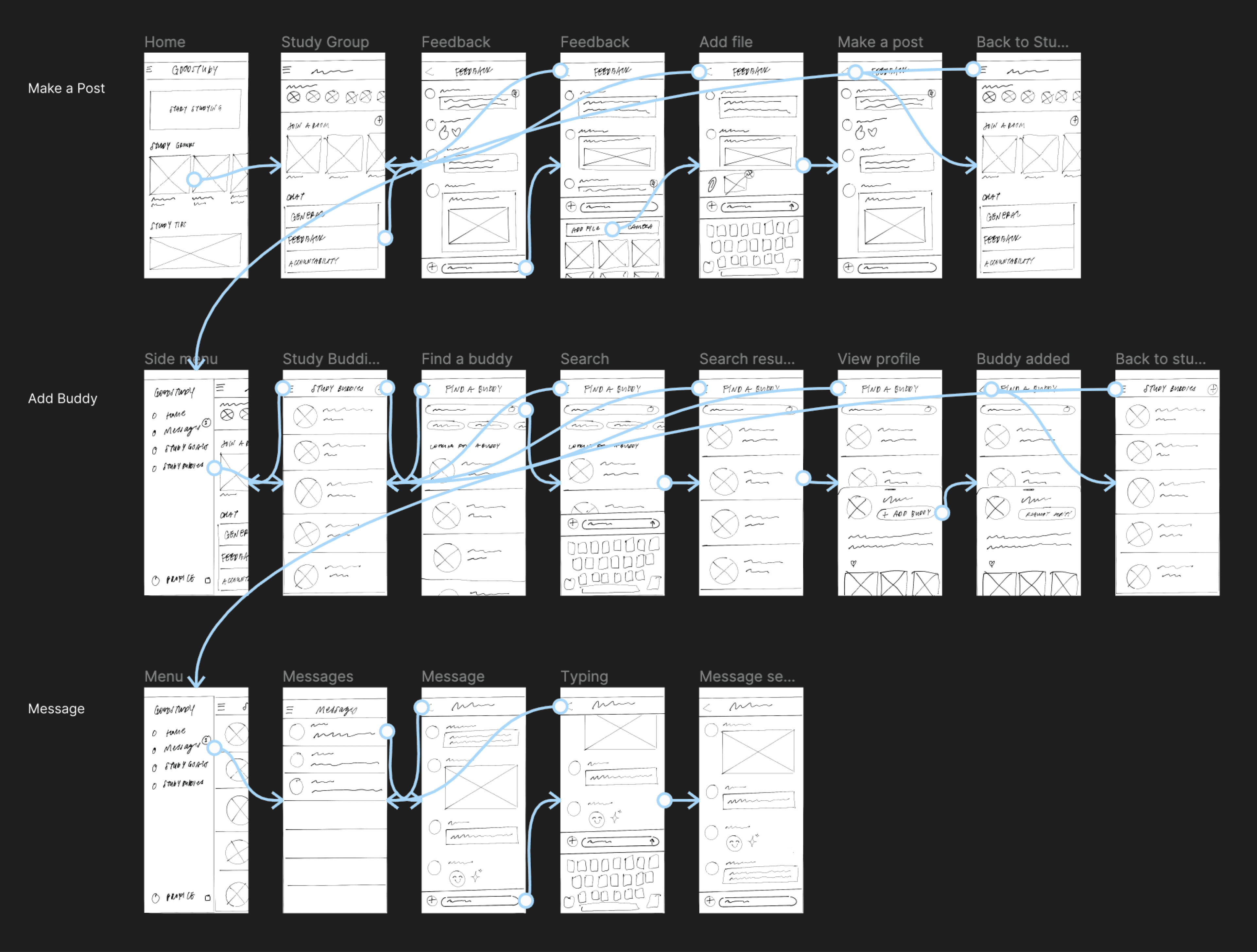
To ensure I was fulfilling the needs of my persona, Daniel, I turned the user stories into user flows. Visualizing the flows was useful at this point to work through possible friction points and experiment with different avenues of interaction.
The user flows are for the following 3 tasks:
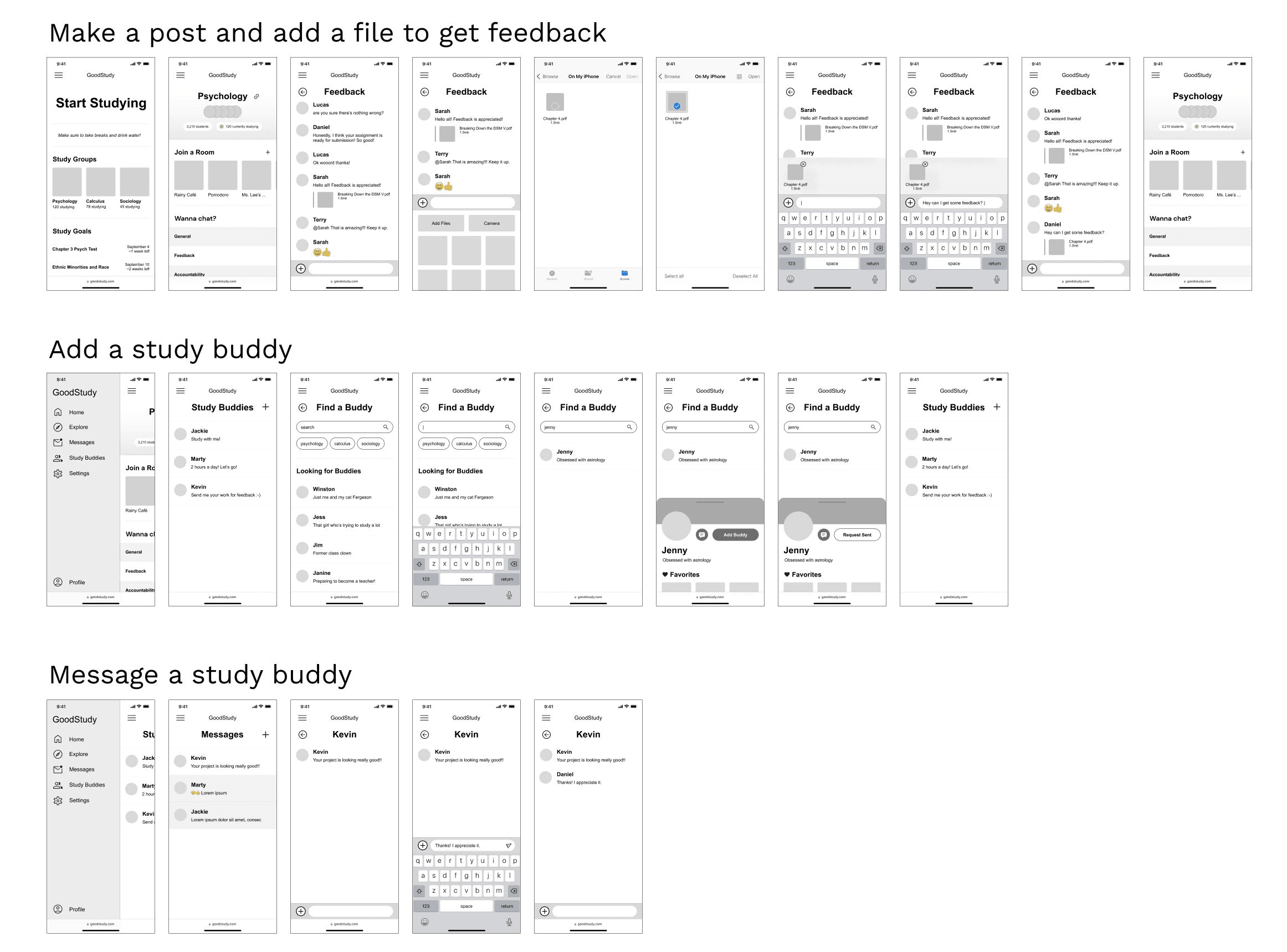
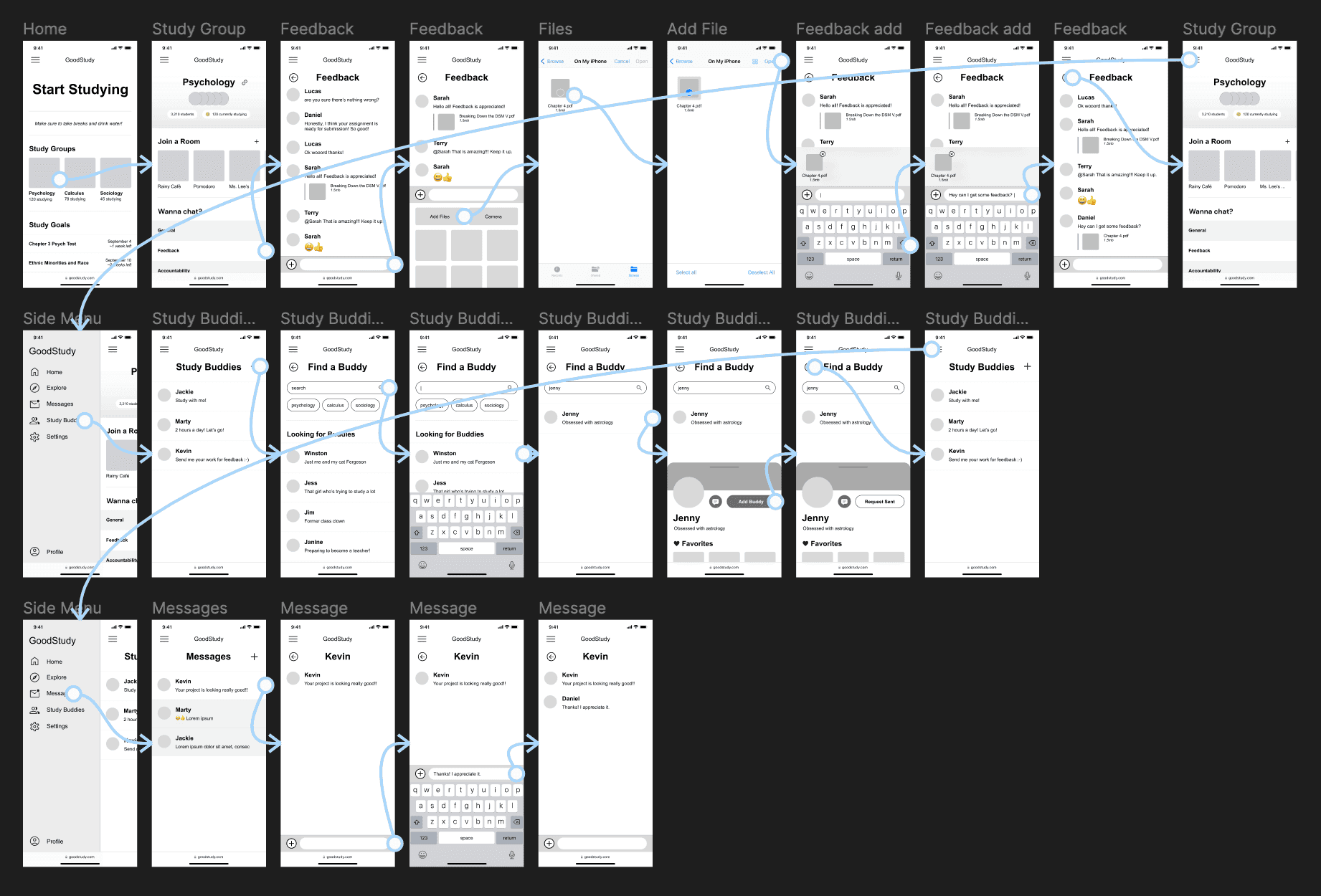
Make a post and add a file to get feedback
Add a study buddy
Message a study buddy
Iterations
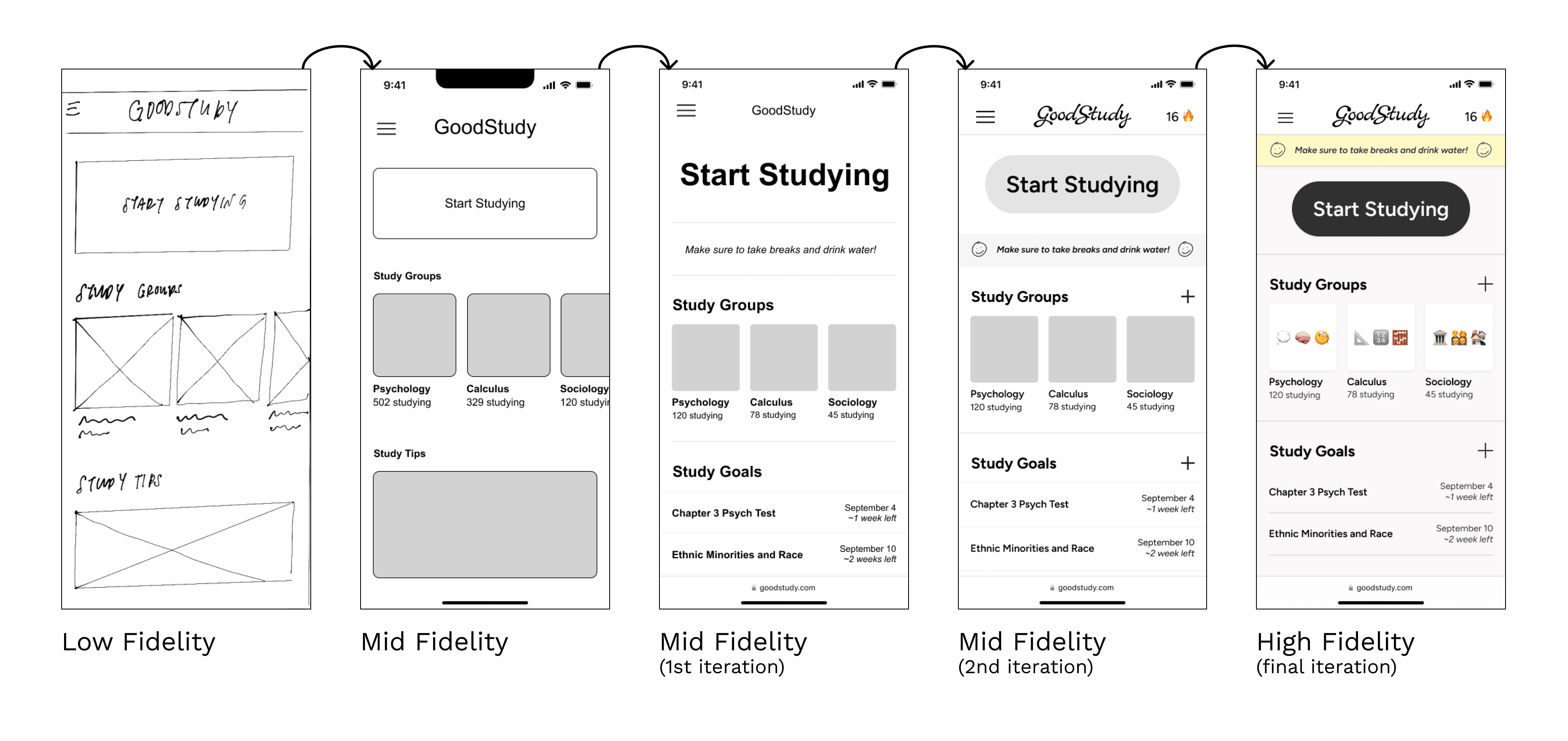
Initially, I thought of creating the home page as a hub with study tip articles. But after thinking of how my persona, Daniel, would interact with the home page, I decided it would be more beneficial to users to minimize study tips to a small blurb, and to instead show the study goals on the home page! I want the students to succeed, and out of sight is out of mind. Having their goals visible on the default home page would enhance their responsibility and dedication towards success.
Low-Fidelity Wireframes
Initially, I thought of creating the home page as a hub with study tip articles. But after thinking of how my persona, Daniel, would interact with the home page, I decided it would be more beneficial to users to minimize study tips to a small blurb, and to instead show the study goals on the home page! I want the students to succeed, and out of sight is out of mind. Having their goals visible on the default home page would enhance their responsibility and dedication towards success.
Mid-Fidelity Wireframes
Moodboards
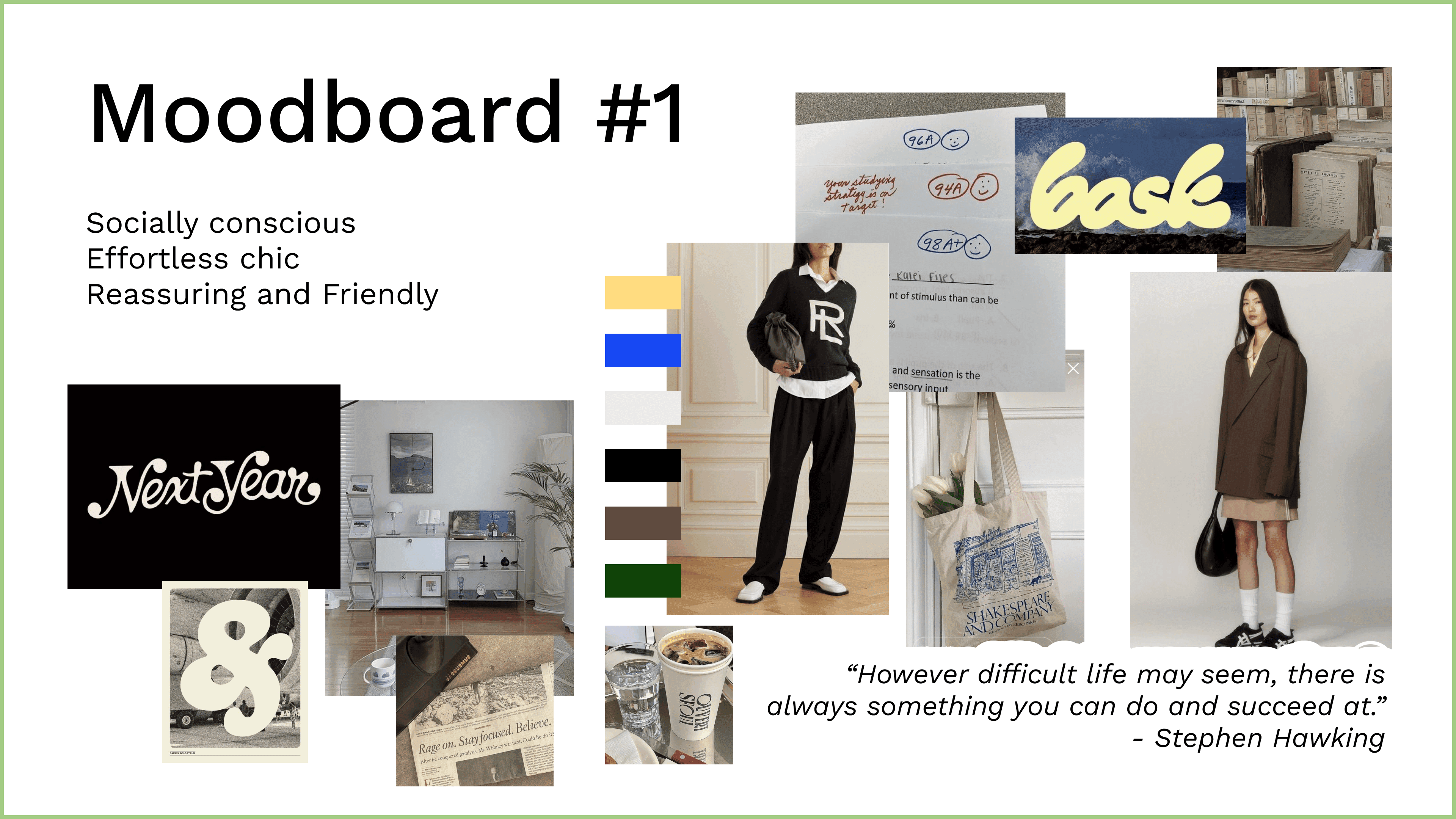
Moodboard #1 was created with a chic student aesthetic in mind, inspired by stationary, academia, and revisited 90’s trends.
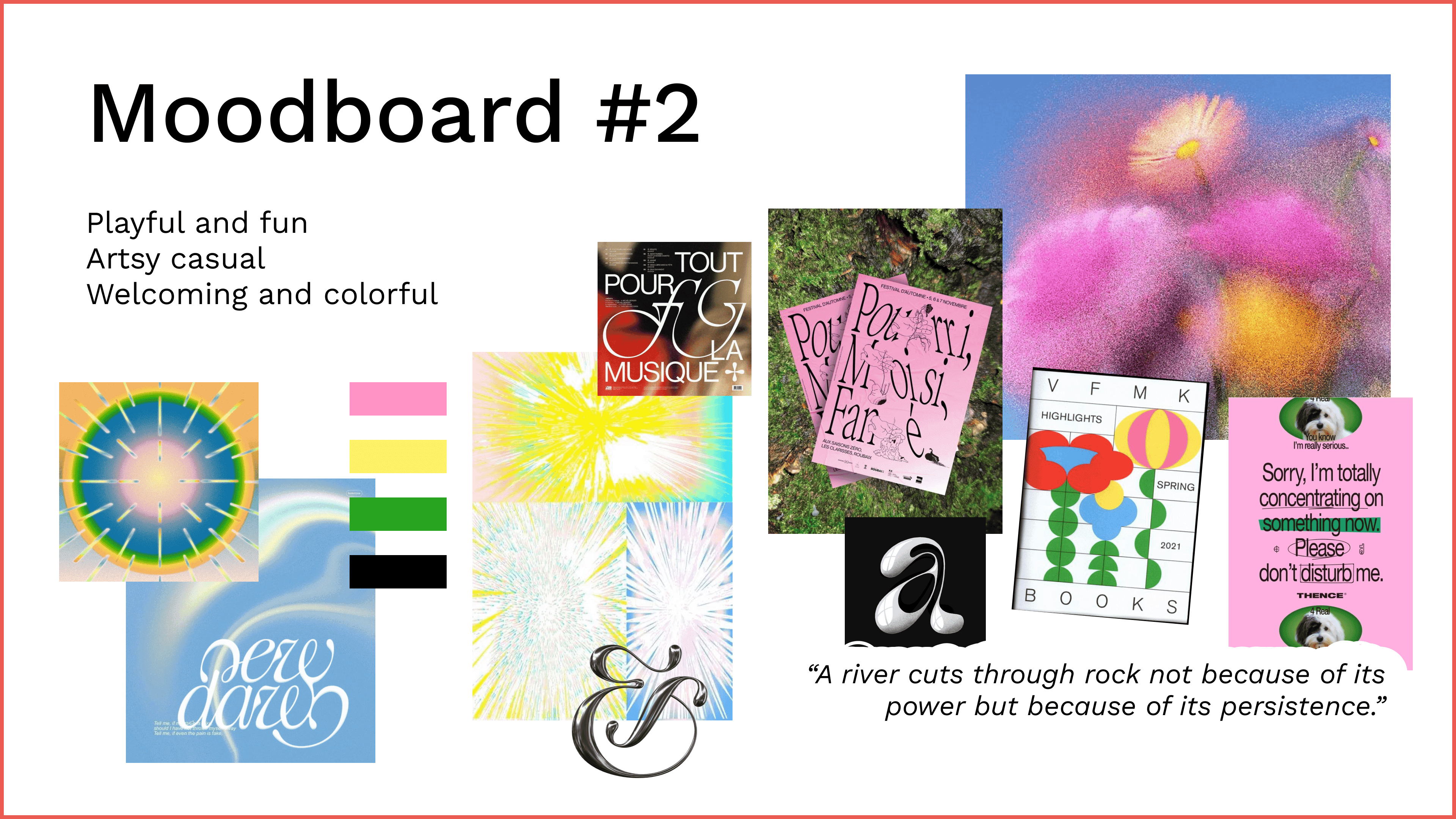
Moodboard #2 was created with a neo-futuristic, colorful, and refreshing aesthetic in mind, inspired by high graphic fonts and extreme colors.
It was honestly really hard to choose between the two, because both concepts excited me. With the right execution, I thought that maybe either visual concept could work. But I thought back to my persona, Daniel, and the kind of experience he’d want in order to inform my decision-making.
I chose Moodboard #1 to focus on delivering a product that feels natural for students. I think it’d be a smooth transition for students to use a color palette similar to their notes, with a few color accents here and there. It still feels cool, but in a much more effortless and subtle way. Moodboard #2, while exciting, could be too distracting for students who are trying to focus on their work.
Color Schemes
Using the chosen moodboard, I started experimenting with different colorways. “Blue ballpoint pen” was almost overwhelmingly blue, and the “iced coffee” palette combined with the GoodStudy logo almost made the app seem like a coffee or chocolate brand. While they all look great, I thought that the third option, “posty on a notebook,” communicated the most neutral, friendly, and relevant aesthetic for studying.
Playing around with the color schemes was really fun and gave me a few ideas for possible future features, such as one where students could customize their color schemes for GoodStudy on premium accounts.

Style Guide
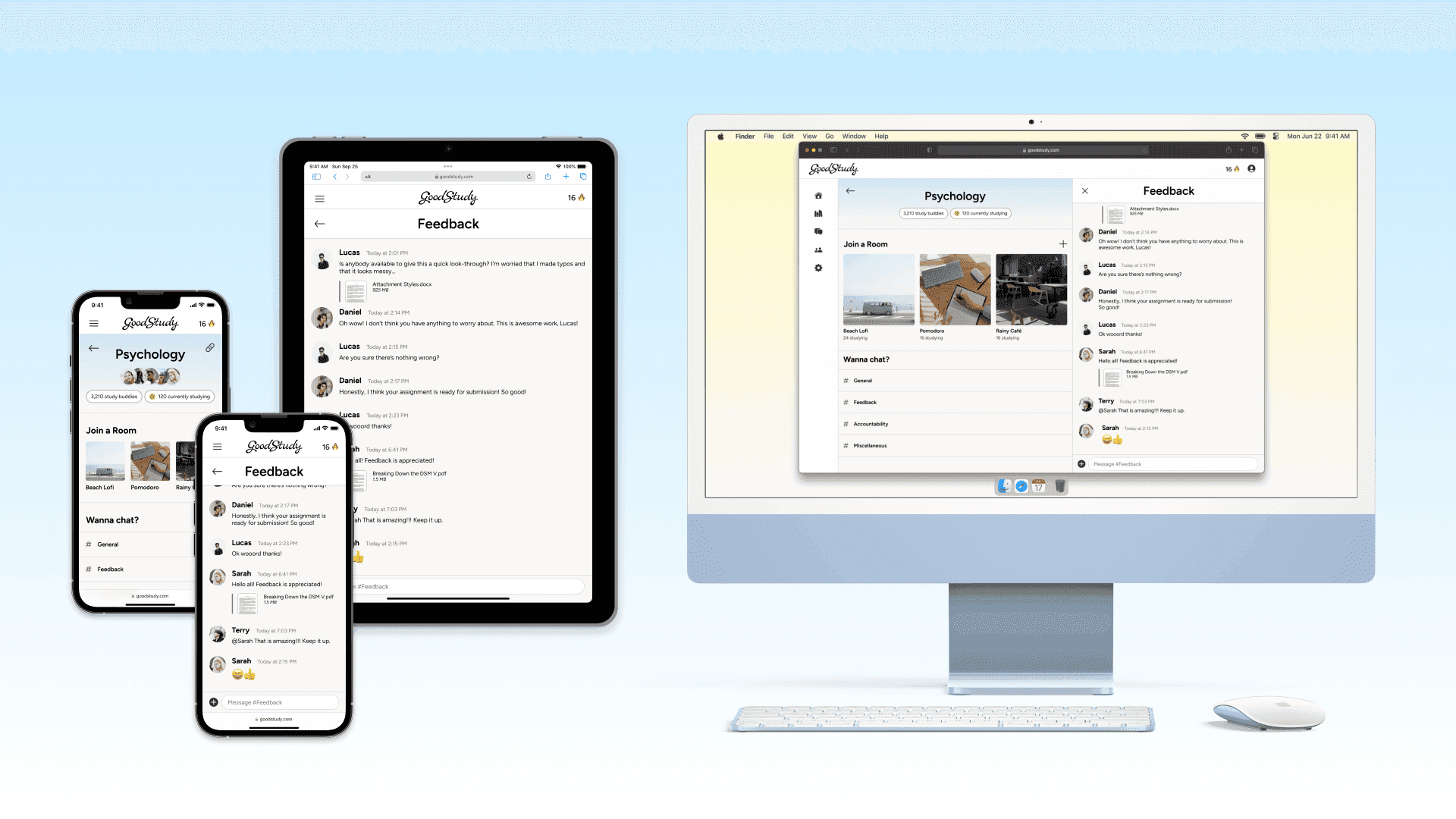
Developing GoodStudy’s visual identity was a gradual process, as I slowly added UI elements to the mid fidelity frames, such as color, icons, and imagery. I defined the UI of GoodStudy to be fairly neutral so anybody could use the app and enjoy the aesthetics. The font I chose for the web app is Figtree - minimalist and casual, fresh but not childish. The style guide contains guidelines to the brand mood, logo, typography, color scheme, UI elements, iconography, imagery, and responsive layouts. I really enjoyed creating the visual identity of GoodStudy.
Take a look at the scroll-through below, or open up The GoodStudy Style Guide PDF here.

Final Prototype and Animations
Make a post and add a file to get feedback
Add a study buddy
Message a study buddy
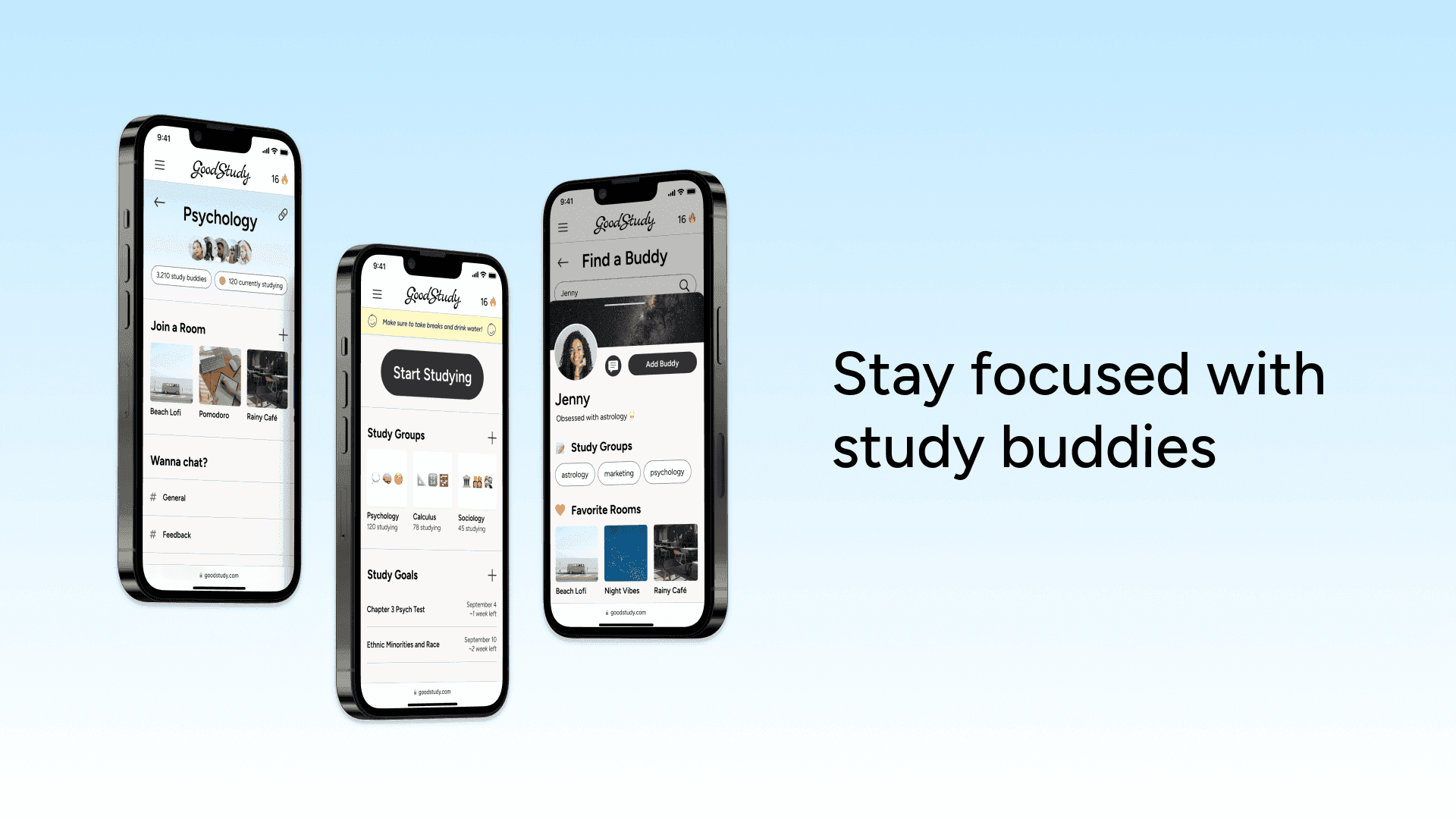
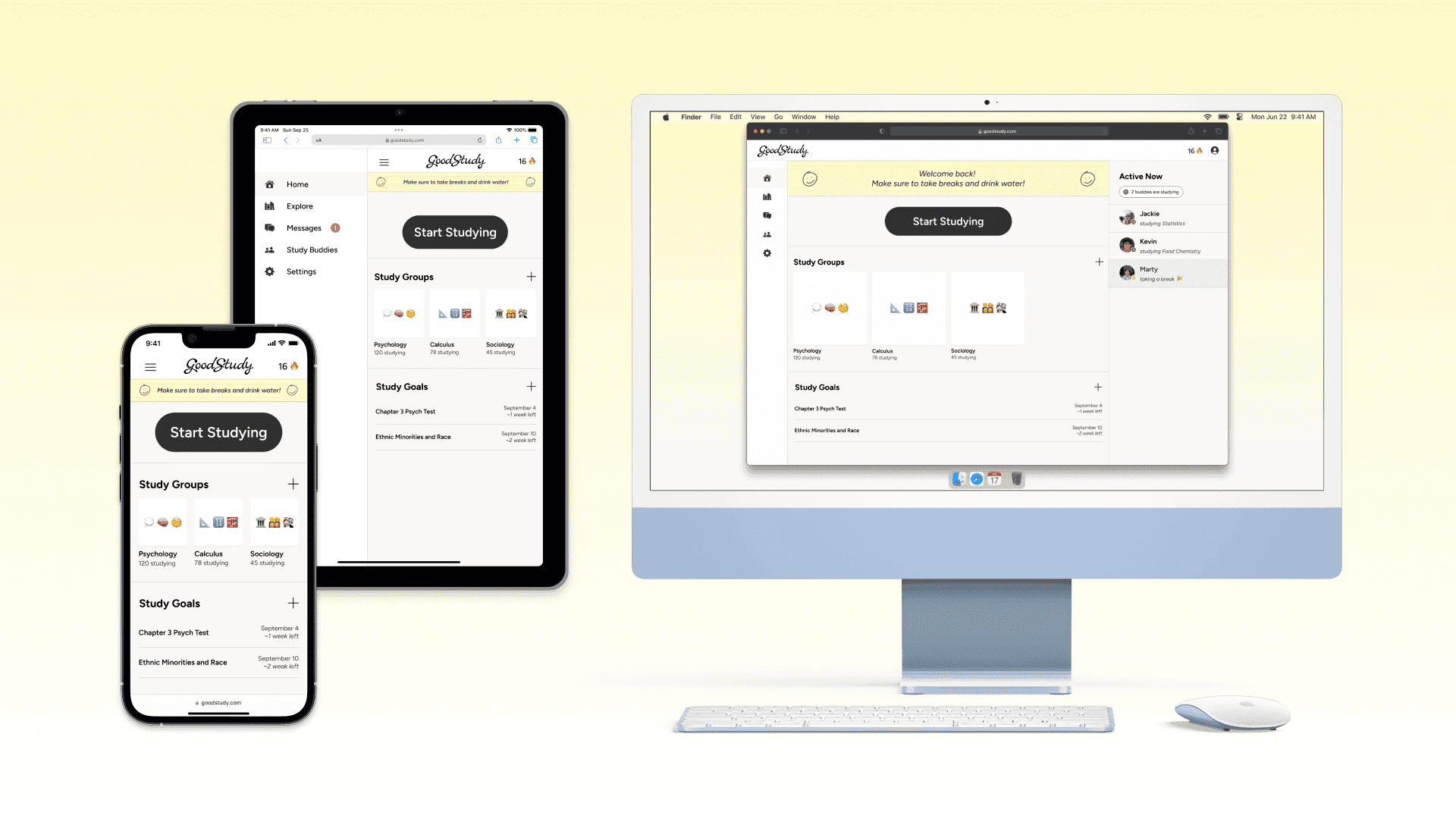
Mockups
Takeaways
Designing GoodStudy was an exciting challenge, and it was fun to be able to focus on the UI side. I still found myself wanting to test little features, and often had my sister and friends look at my work in progress to give quick feedback. Next time, I’ll make sure to keep a log of others’ notes, as well as conduct more formal preference testing, since it has a faster turnaround. It was a good reminder for the future that I don’t have to (and should not) linger in my own thoughts, and conducting smaller scale tests can help give me fresh perspectives!
If I had more time…
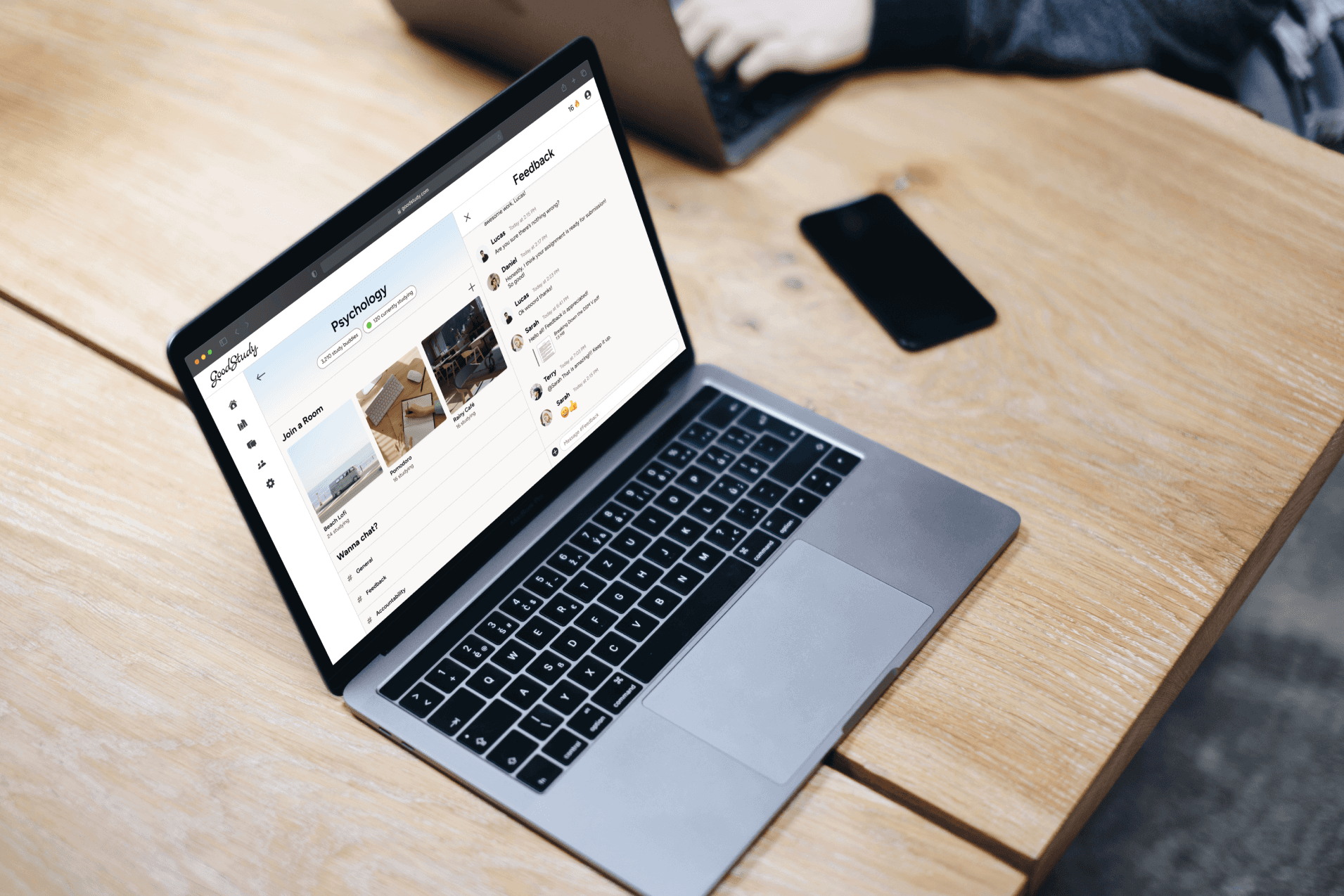
I would add more micro interactions to make the user experience more enjoyable. I would also continue building out the tablet and desktop versions. I think there’s a lot of potential in how to utilize the larger real estate in the larger screens for this web app, such as giving students the ability to have a study room open at the same time as a chat room. It would also be important that the users have flexibility in what features they want to access and when, rather than restricting them to one thing at a time. Contrasting that, I’m excited at the idea of giving users a feature that restricts other apps in a “focus mode” or incorporating timers for studying.
These are all interesting ideas to implement, but all in all, I’d say that I’m satisfied with GoodStudy’s starting point and had a lot of fun with this project!
